PUBLISHED ON
22 October 2023
Trailix: A Movie Trailer Cinema Booking App
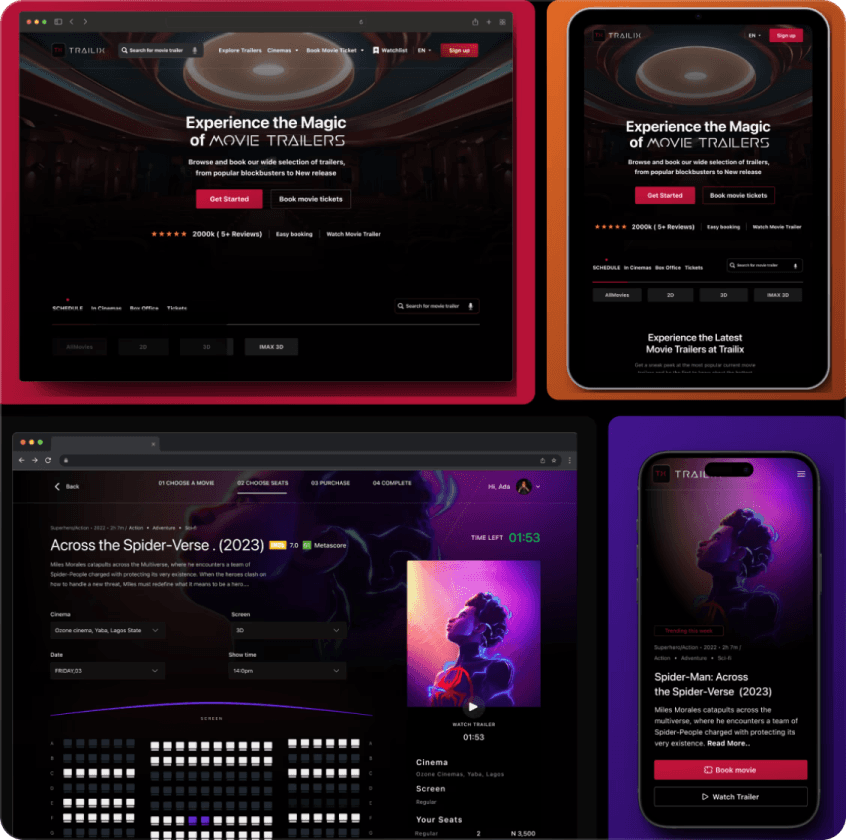
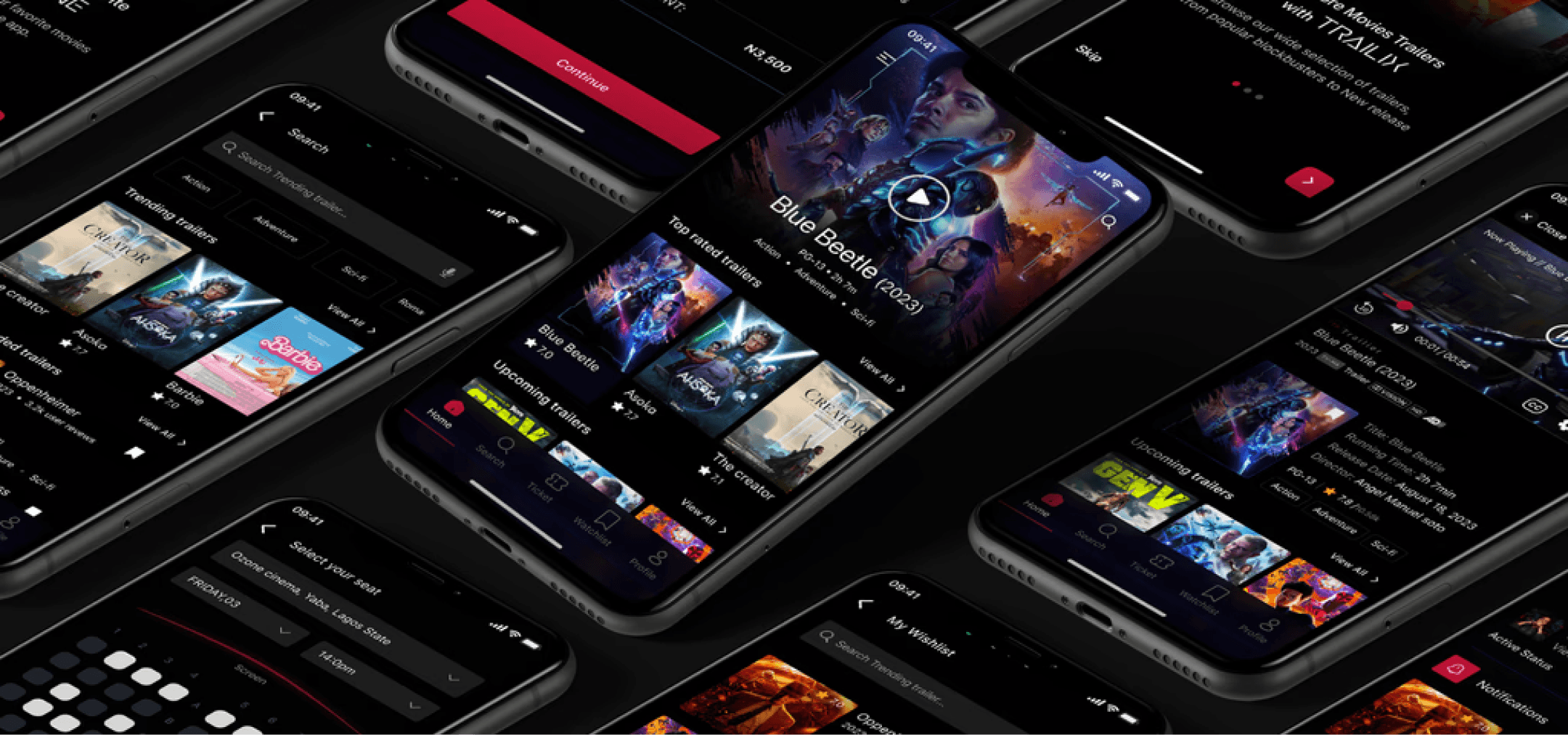
Trailix is a dedicated mobile application for previewing movie trailers, targeted to help Movie goers discover new cinematic Movie Trailers and offers an uncomplicated method for pre-booking tickets

Movie trailer
img
MY ROLE
User Experience (UX) Designer
User Interface (UI) Designer
Design, Prototyping, UI Design
TOOLS
Figma
Adobe Illustrator
Notion
DURATION
4 weeks
Summary
Trailix is a dedicated mobile application for previewing movie trailers, targeted to help Movie goers discover new cinematic Movie Trailers and offers an uncomplicated method for pre-booking tickets.
Discover movies, watch trailers, and purchase tickets for any desired seat, all within the same app, saving time and effort.
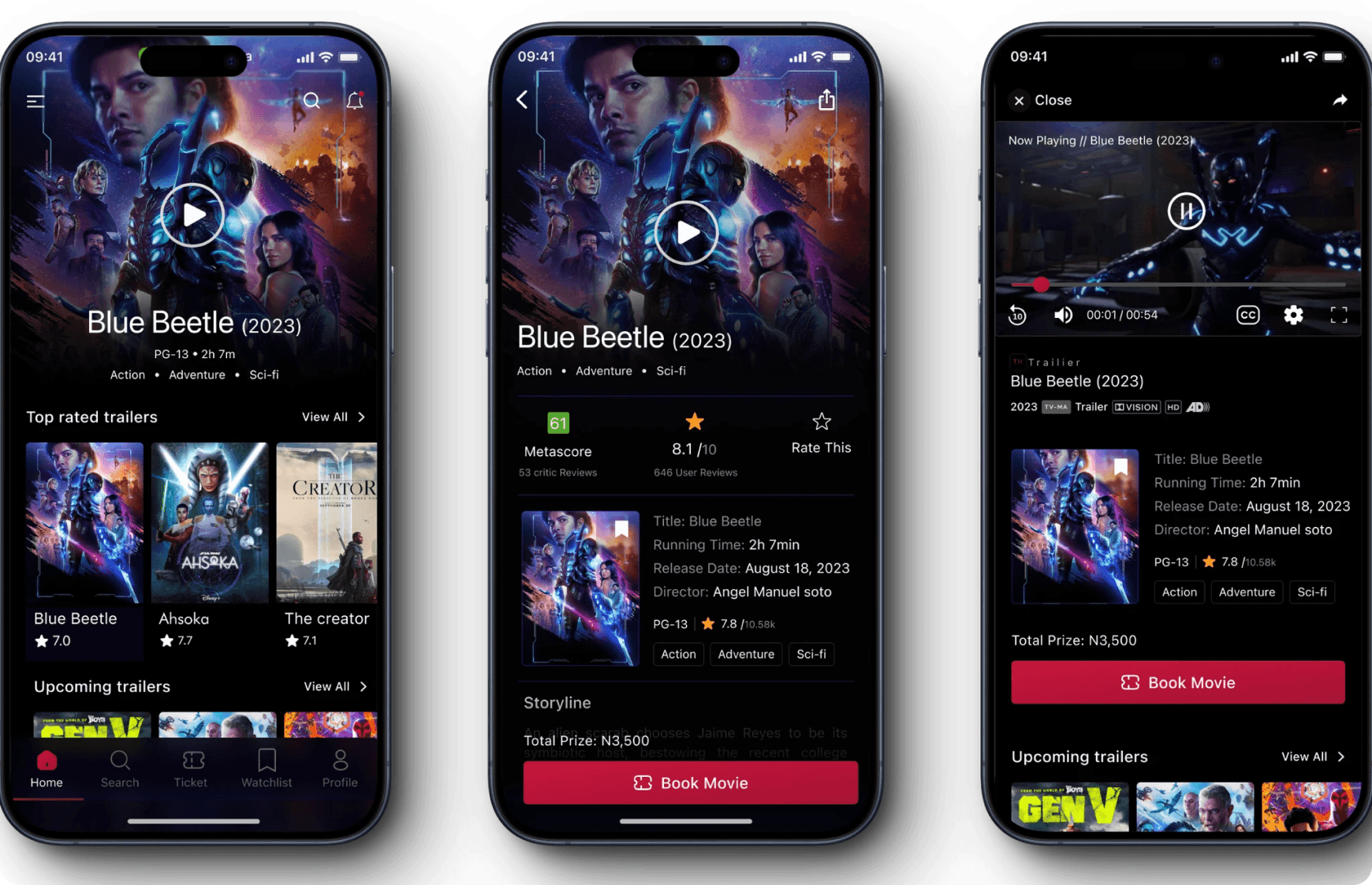
The app offers a wide variety of trailers, from popular blockbusters to independent films. Users can now browse trailers by genre, search for specific titles, Book their favorite movies and create watchlists.
Keep users immersed in the movie experience by making ticket purchase a seamless extension of browsing and trailer viewing.
Tools of Design utilized in my endeavor
OVERVIEW
Trailix is a dedicated mobile application for previewing movie trailers, targeted to help Movie goers discover new cinematic Movie Trailers and offers an uncomplicated method for pre-booking tickets.
The app showcases a vast array of trailers, from popular big-budget films to latest local movies near the user location.
The app offers a wide variety of trailers, from popular blockbusters to independent films. Users can now browse trailers by genre, search for specific titles, Book their favorite movies and create watchlists.
RESULTS
The final design led to a 40% increase in user engagement, with clients praising the platform’s ease of use and modern look.
Boost Engagement: Keep users immersed in the movie experience by making ticket purchase a seamless extension of browsing and trailer viewing.

Movie trailer
img
Responsibilities
Conducting interviews, paper and digital wireframing, low and high-fidelity prototyping, conducting usability studies, accounting for accessibility, iterating on designs and responsive design.
ux process
img
Product Challenge
Trailix faced several challenges:
Moviegoers still have to go to another app or website to buy tickets and book seats. This can be frustrating and time-consuming, especially when They are excited to see a new movie. Busy moviegoers want a one-stop shop for discovering, watching trailers, buying tickets, and booking seats. which is quite challenging.
This cumbersome process can be frustrating, especially for busy individuals or those eager to see a new release. The excitement of finding a great movie can quickly fade amid frustrating navigation and ticket purchase roadblocks.

Watching movies
img
Product Solution
To Create a user-friendly dedicated app for moviegoer that allows users to easily preview movie Trailers, buy movie ticket, and Help users save time by making it easier for them to decide which movies to watch.
Convenience: Discover movies, watch trailers, and purchase tickets for any desired seat, all within the same app, saving time and effort.
Reduced Friction: Eliminate the frustration of bouncing between different platforms and struggling with unfamiliar interfaces.
Spontaneous Fun: Capture the excitement of finding a great movie by ensuring a fast and smooth path from discovery to booked seats.
Boost Engagement: Keep users immersed in the movie experience by making ticket purchase a seamless extension of browsing and trailer viewing.


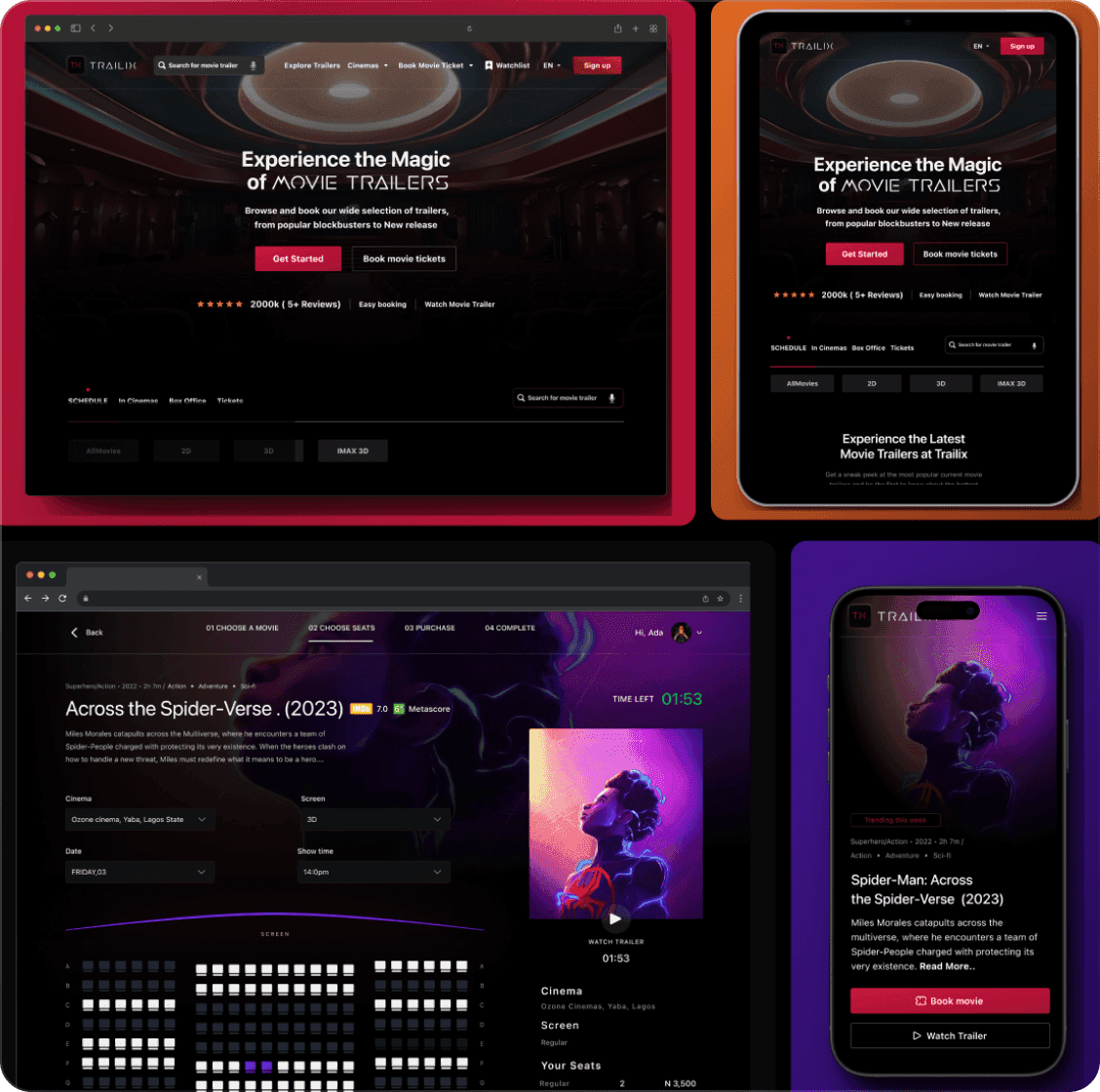
Product image
img
The process
A framework is always needed to come up with a suitable product. I choose to follow the Thinking Approach to guide us throughout the process. This effective process helped us research thoroughly before we dig into the problem and come up with a product solution
Discover
Define
ideate
Wireframe & Prototype
Test The Product
User goals
To Create a user-friendly dedicated app for moviegoer that allows users to easily preview movie Trailers, buy movie ticket, and Help users save time by making it easier for them to decide which movies to watch.
Key Findings:
Working adults, students, and movie-goers have limited time to find and watch movie trailers. They often have to juggle multiple commitments, such as work, school, and family obligations. This makes it difficult for them to find the time to browse through all the trailers that are available online.
There is also a vast selection of movie trailers available online. This can be overwhelming for users, especially those who are not familiar with all the different genres and release dates.
The majority of digital spaces fail to provide suggestions for film previews and cinema ticket purchases. This results in individuals needing to dedicate substantial time to exploring trailers in search of ones that pique their interest.
Product image
img
User Pain Points
Busy professionals and learners have limited time to search for and view film previews. They frequently balance various responsibilities, such as employment, education, and familial commitments.
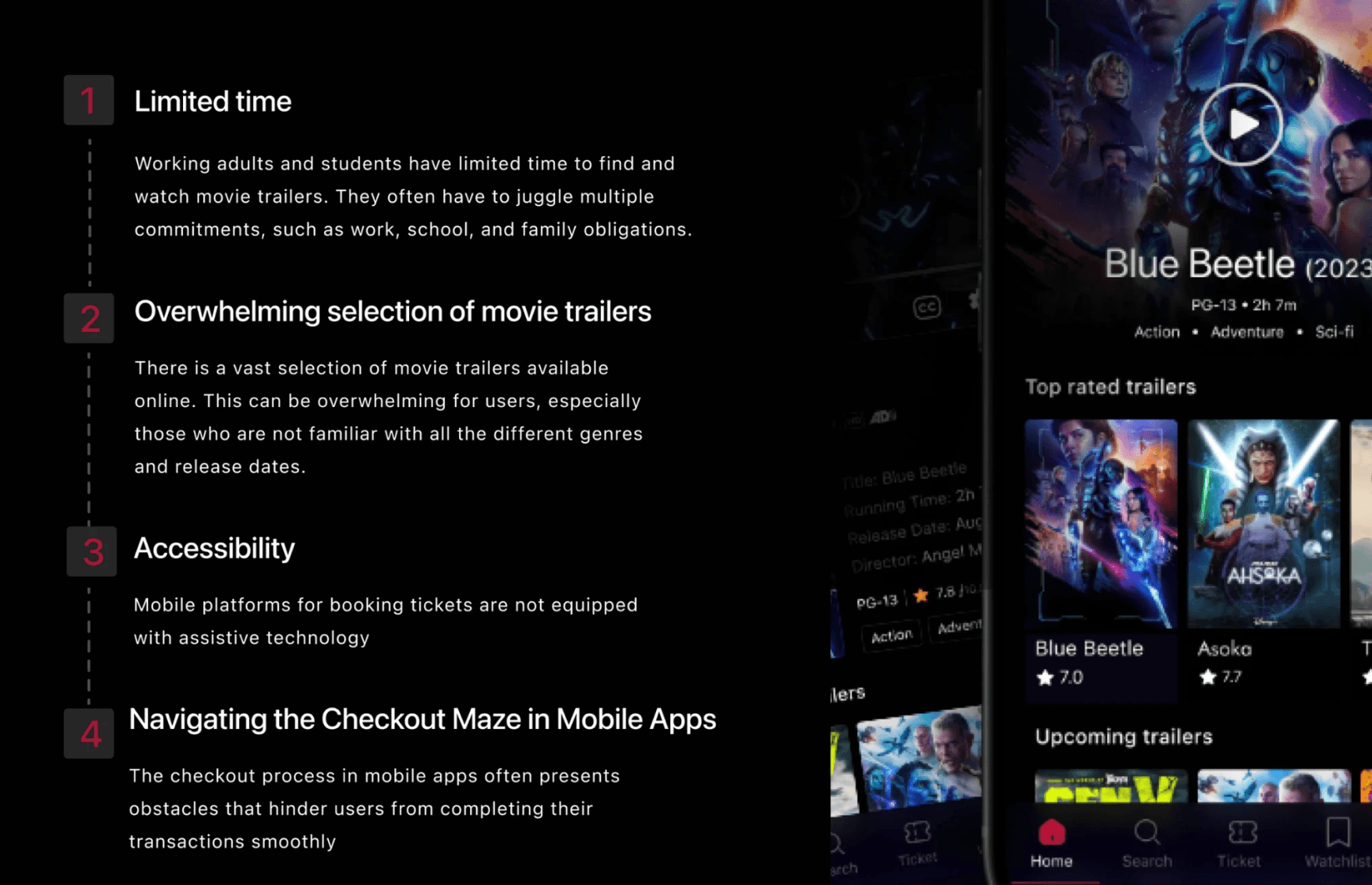
user pain points
img
User Interviews - Inquiring users for valuable insights
To better understand potential users , I interviewed 5 individuals. These interviews aimed to gather insights on their experiences with existing movie Trailer and movie ticketing apps, identify pain points, and gather suggestions for improvement. It became clear that smartphone users are the primary target audience for the app.
Some of the questions I asked were:
What are your favorite ways to discover new movies to watch?
How often do you use movie trailer apps?.
What are some of the challenges you face when trying to decide which movie to watch?
How often do you use movie ticketing apps?
What features or functionality would you like to see in a movie trailer app that you don't see in the apps you currently use?
ux process
img
Insights From the interviews - Empathy map
In creating empathy maps, I aimed to understand our users' needs and feelings to design a visually appealing and enjoyable user interface. By figuring out what captures their attention, evokes emotions, guides their actions, and reflects our brand's values, we can design visually engaging and intuitive products that resonate with them.
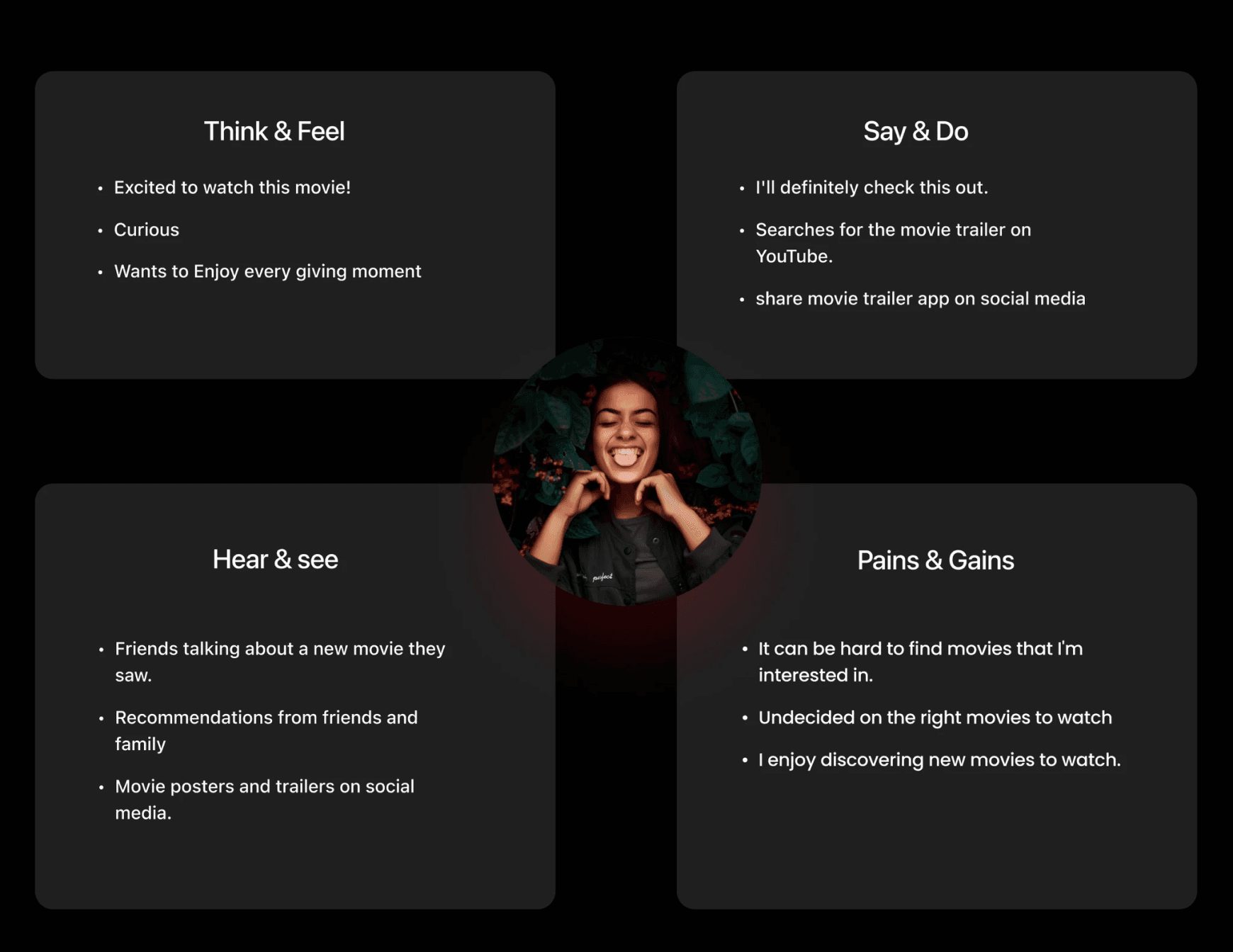
Empathy map
img
User Persona
Creating user personas allows us to better understand our target audience's needs, preferences, and emotions. By identifying their goals, pain points, motivations, and behaviors, we can design products that cater to their specific needs.
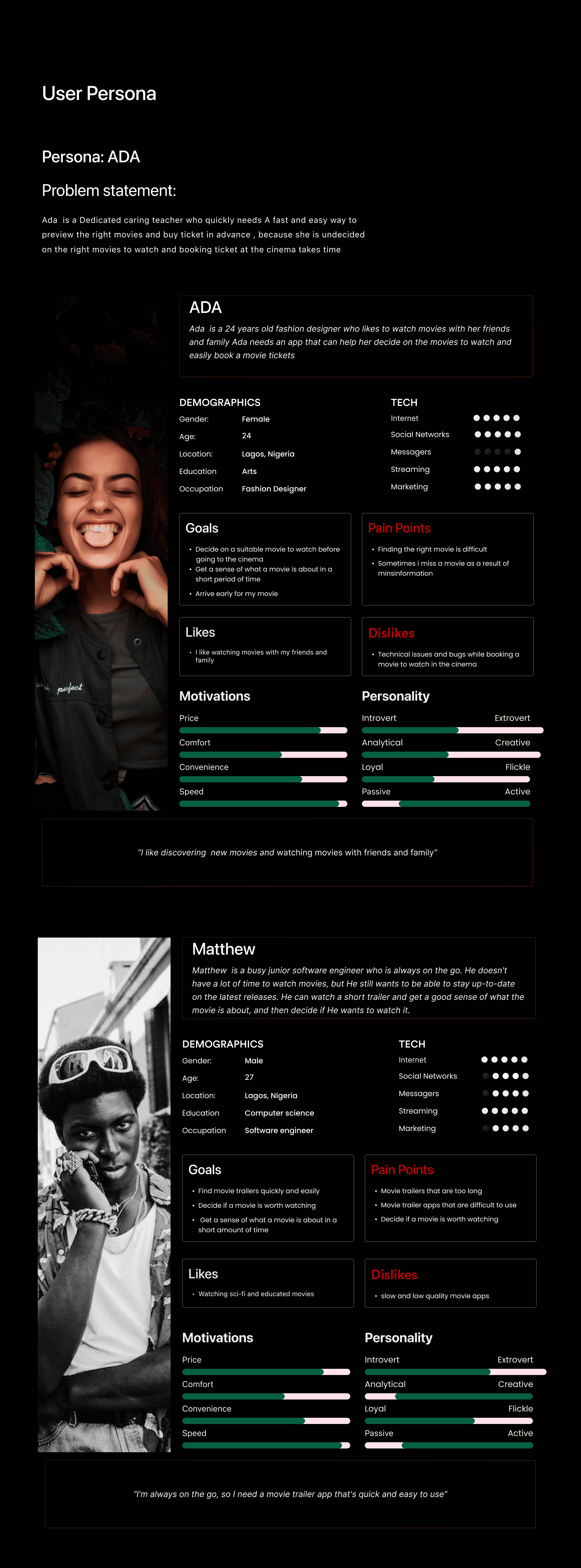
User persona
img
Competitive Analysis
I conducted a competitive Audit for both direct and indirect competitors, I looked at what they did and how well they do it, and what they could do to make it better in terms of features, visual design, accessibility and flows.
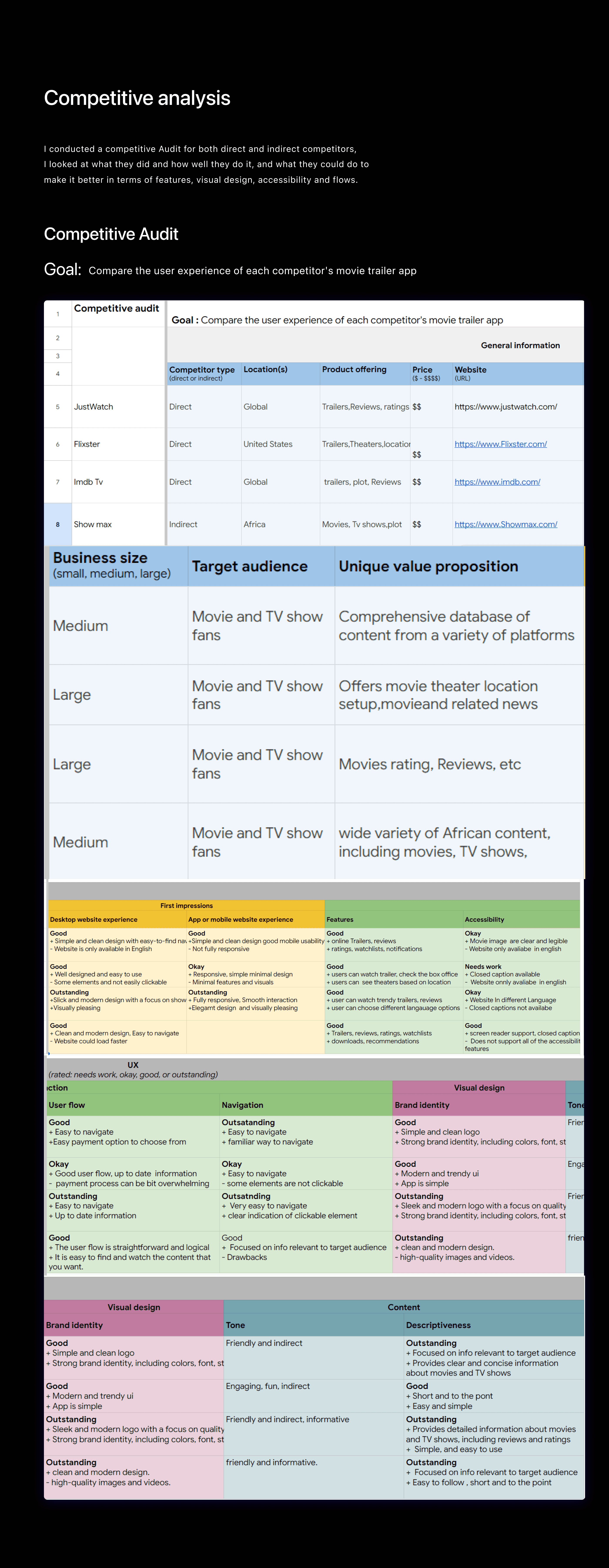
Competitive Analysis
img
User journey map
By creating user journey maps, I wanted to illustrate the process of how Ada behaves, feels, and what they think while accomplishing their goals to address pain points or provide moments of delight. The user journey maps help us to create paths and reduce bias.
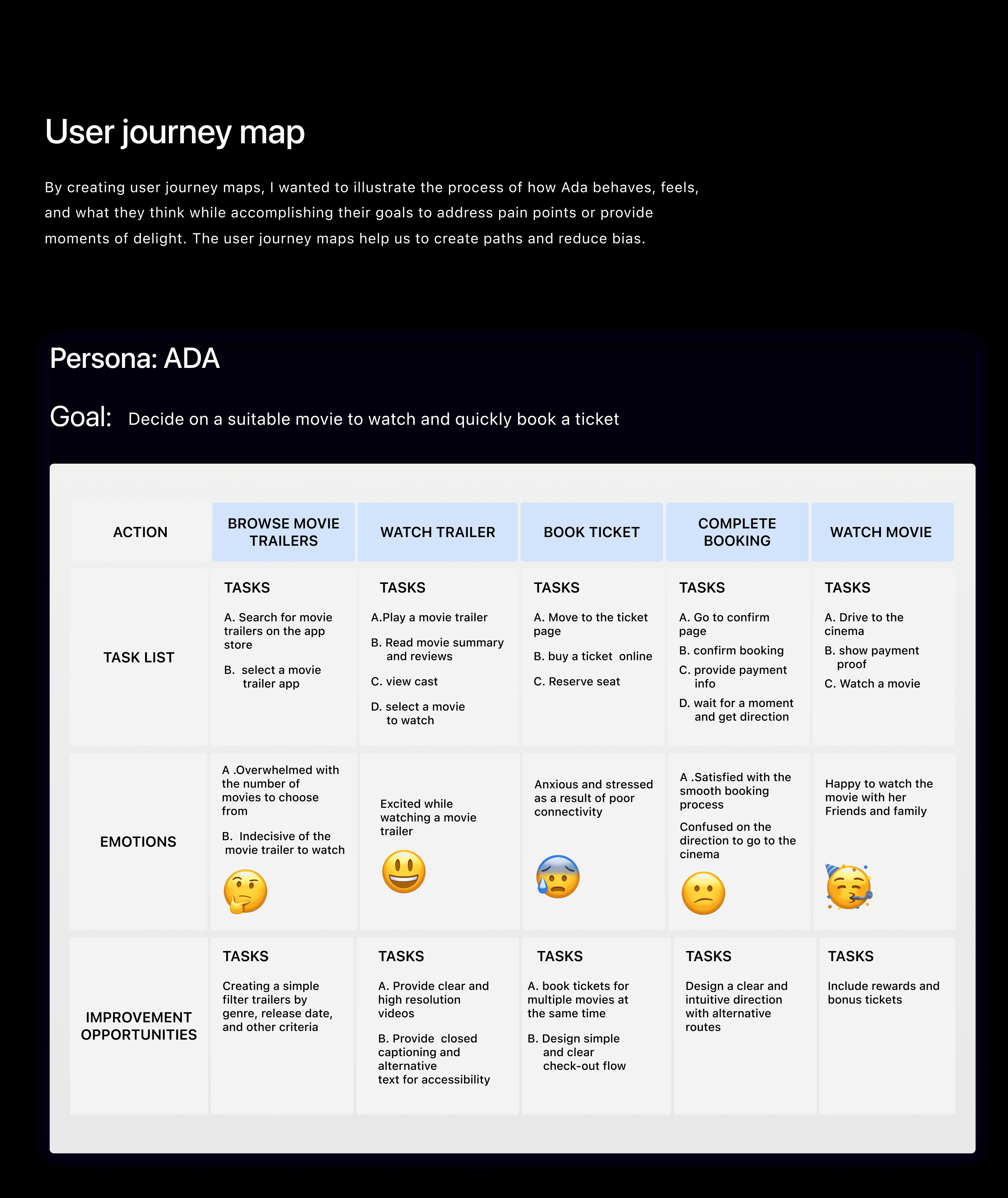
User journey map
img
User-Flow Diagram
Designing for the user experience began from sketching out a typical user journey based on the accomplishment of specific tasks within the app. Once the user journey had been established, we began to unpack the design flow for general and specific use cases.
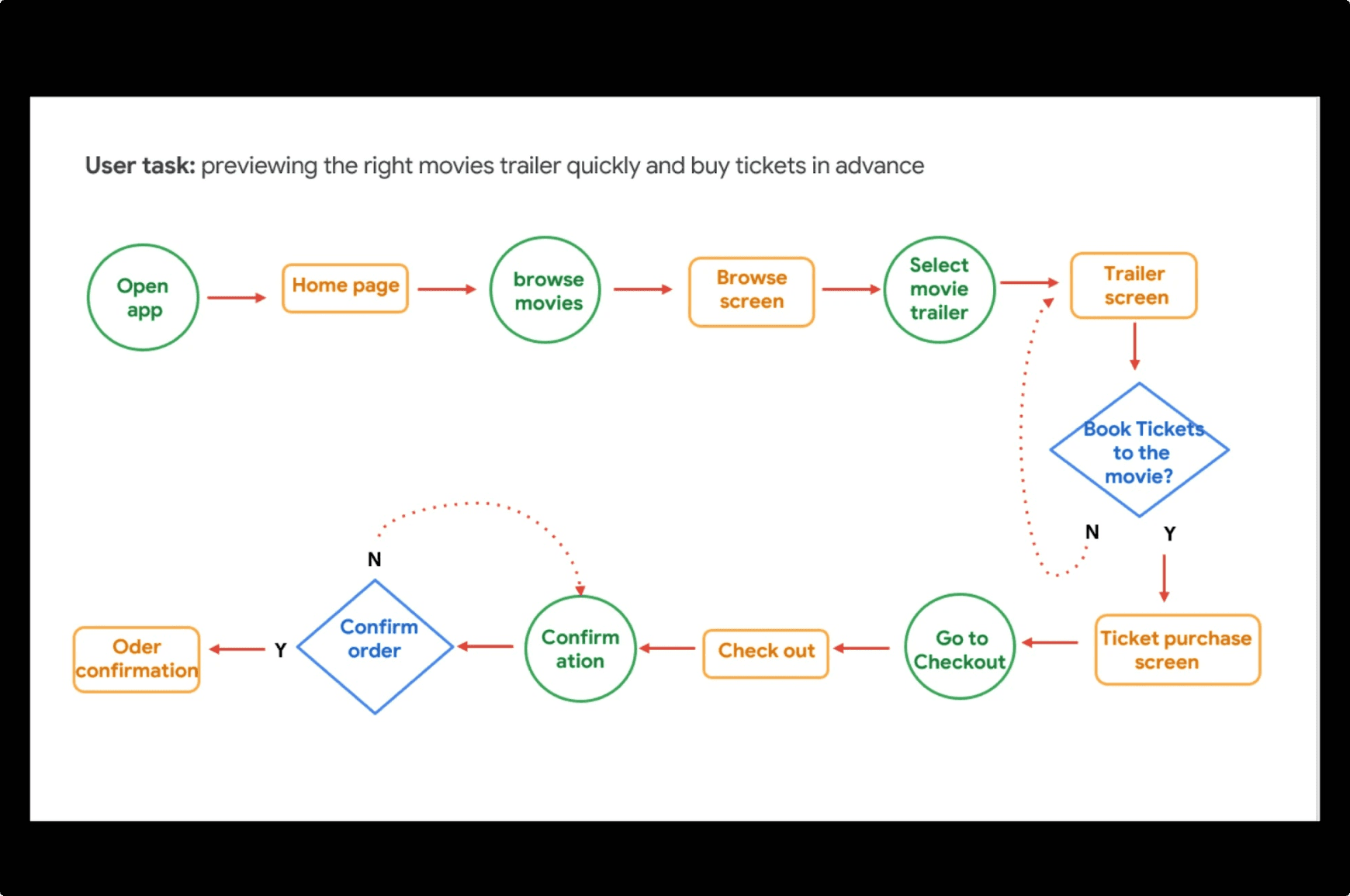
User-Flow Diagram
img
Information Architecture
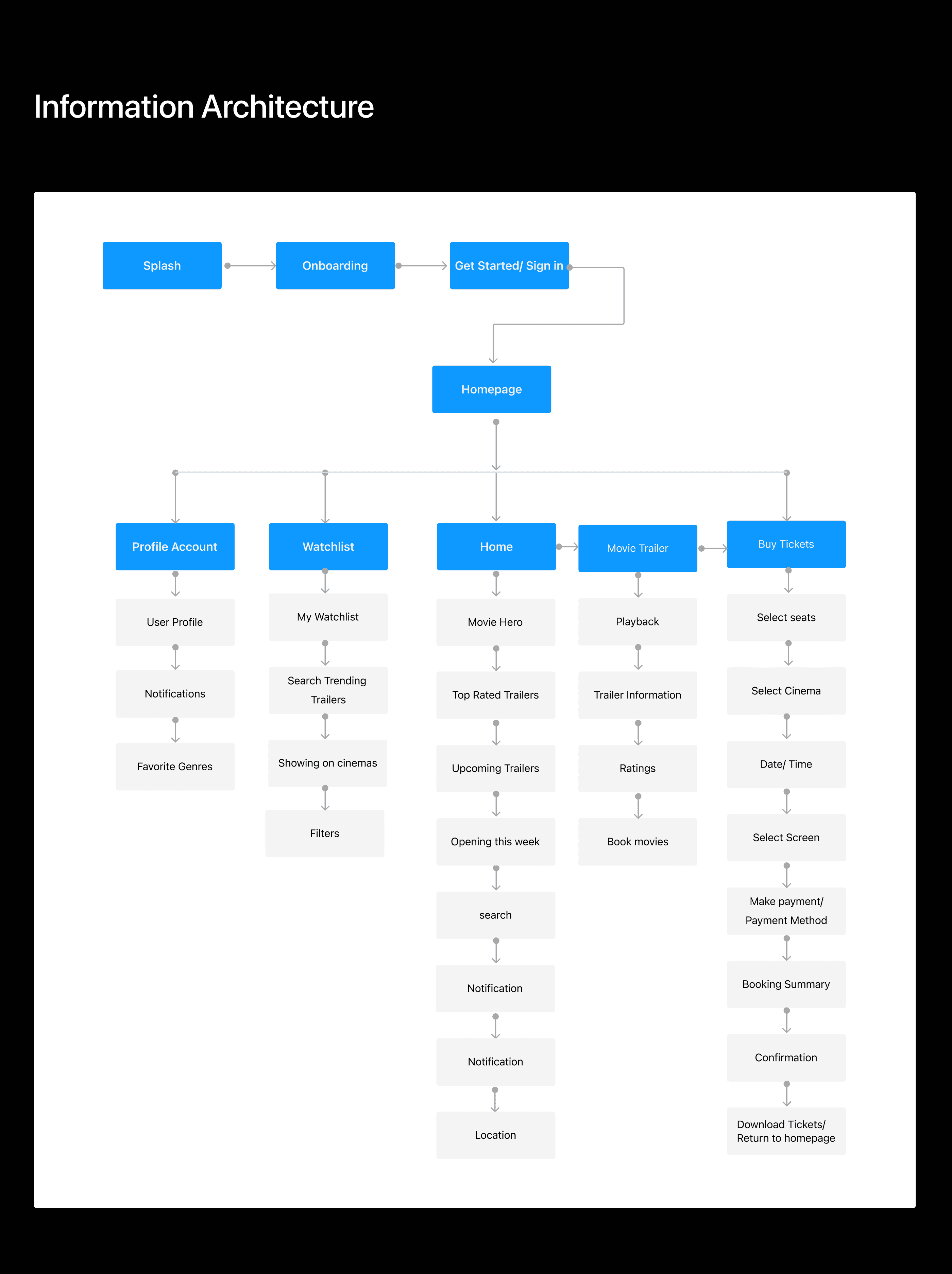
Information Architecture
img
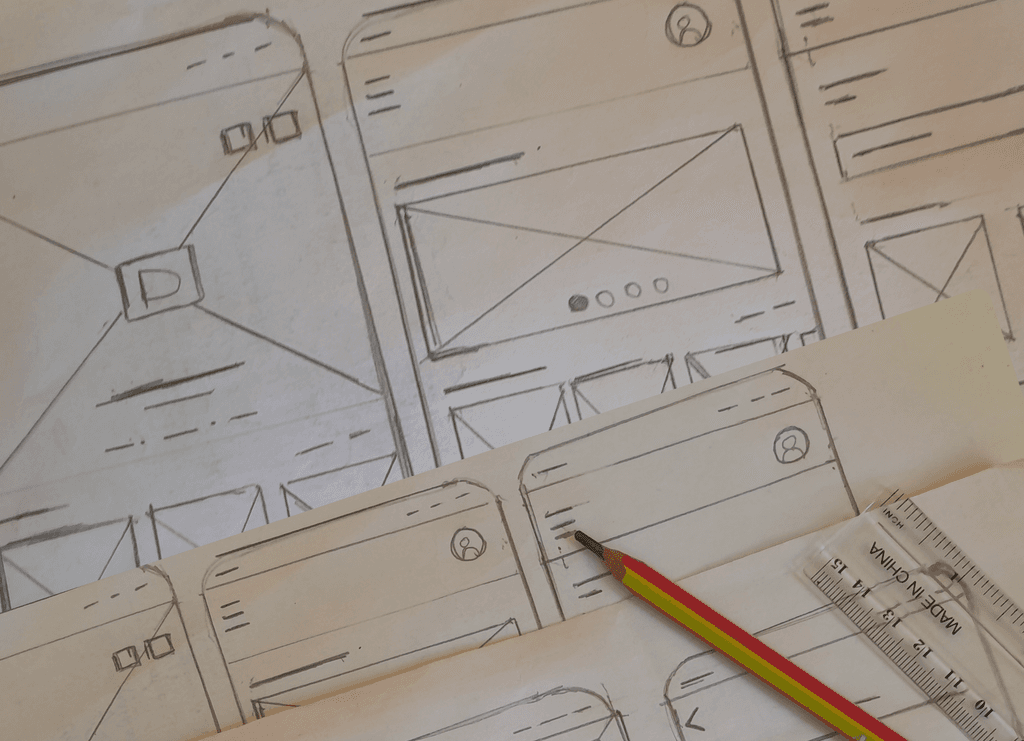
Conceptualization and Sketching
we utilized sketching as a rapid means to visualize and shape the product concept. This allowed us to quickly iterate on ideas, providing a tangible overview of how the product would take form and a rough representation of the envisioned concepts.
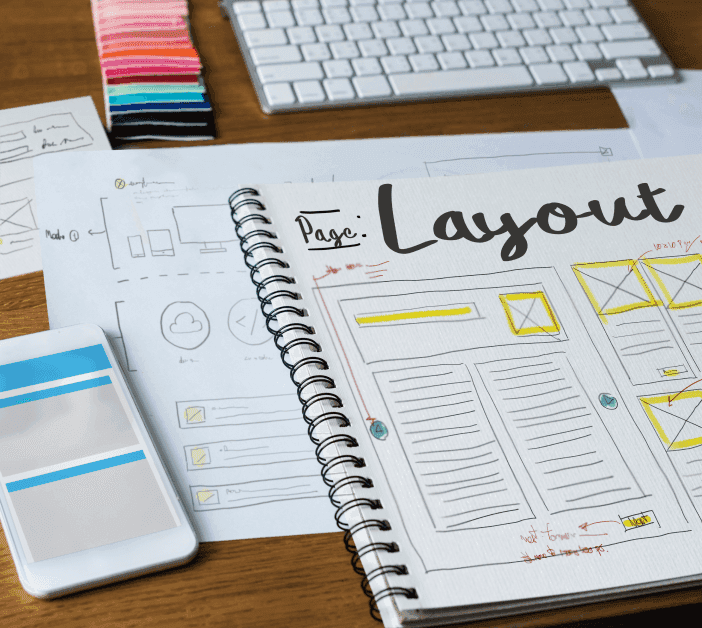
Sketching out ideas on paper on how the home screen will look like, as Product designer allows me to focus on the design layout and functionality before moving on to digital wireframe. I also take into account research objective that solve user needs and business goals
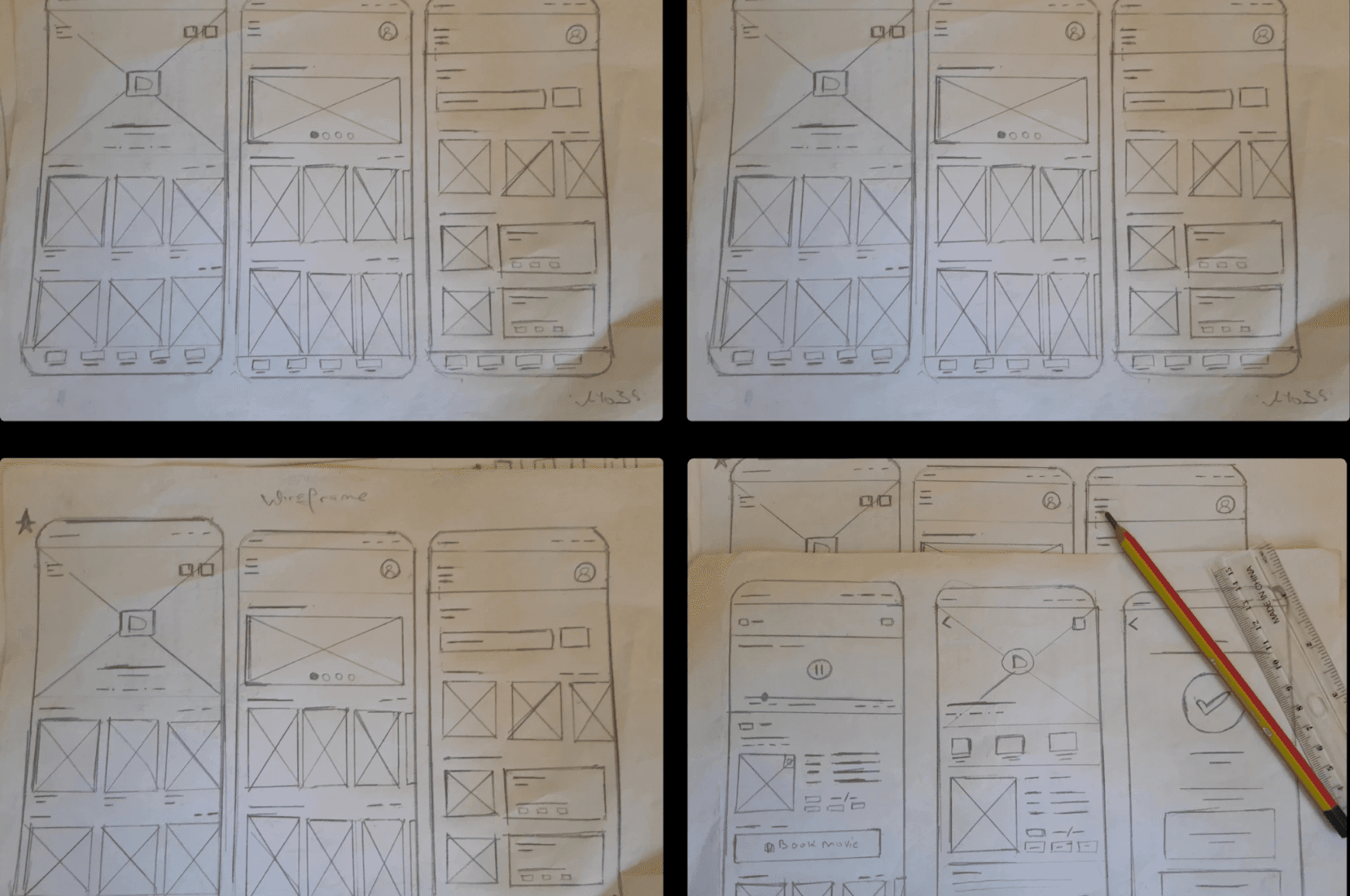
Conceptualization and Sketching
img
Low-Fidelity Design
The Low fidelity prototypes helped us take the sketches to a next level but a step before the high-fidelity mockups. Simple prototypes were of great use in identifying components for framing the design system and also to get an initial feedback from the team before we stepped into concentrating on the visual design which required a mamonth effort.
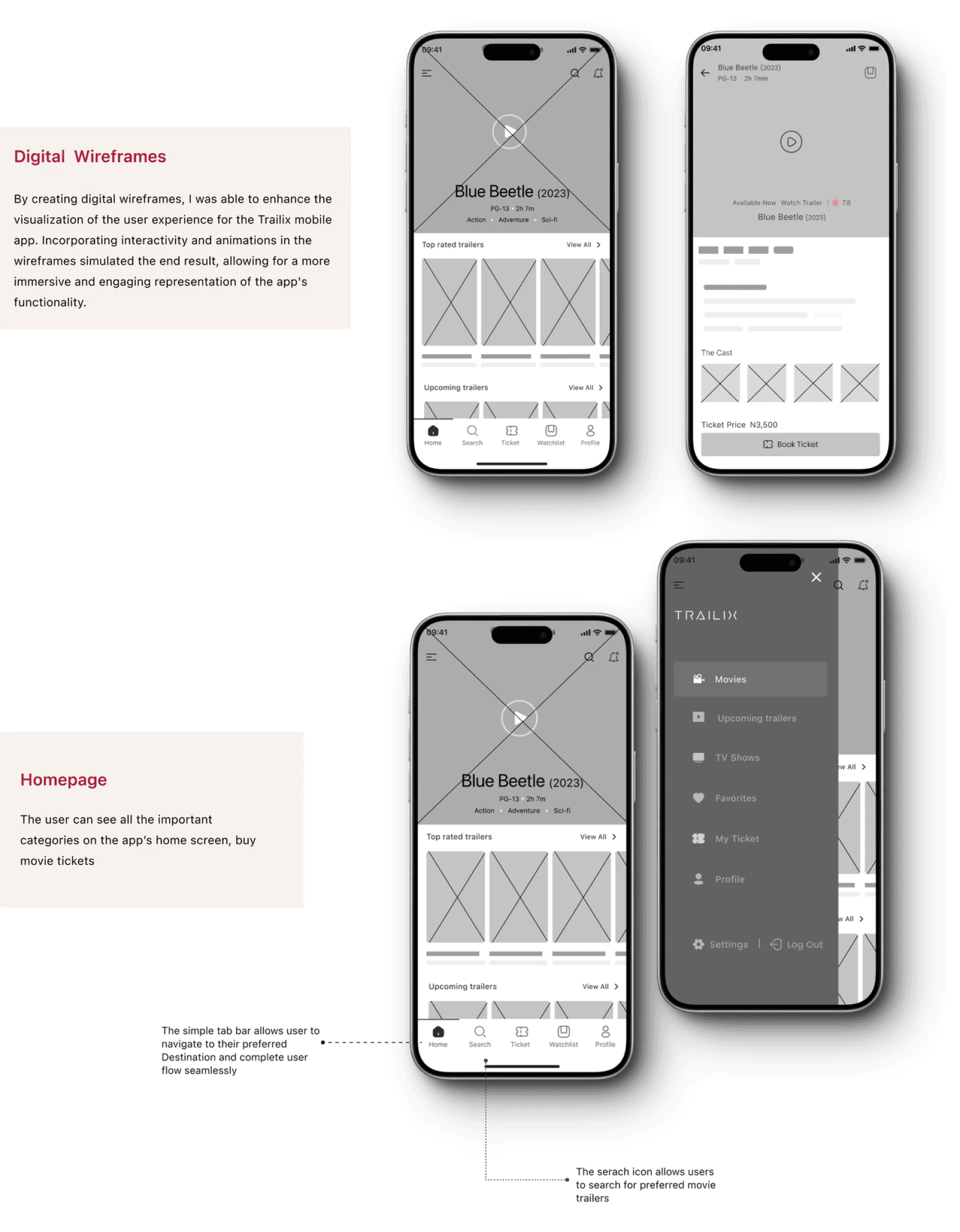
Low-Fi
To make the digital wireframes, I started by putting my ideas on paper. Then I began to work on the high-fidelity wireframes in Figma. After several iterations, I came up with these wireframes.
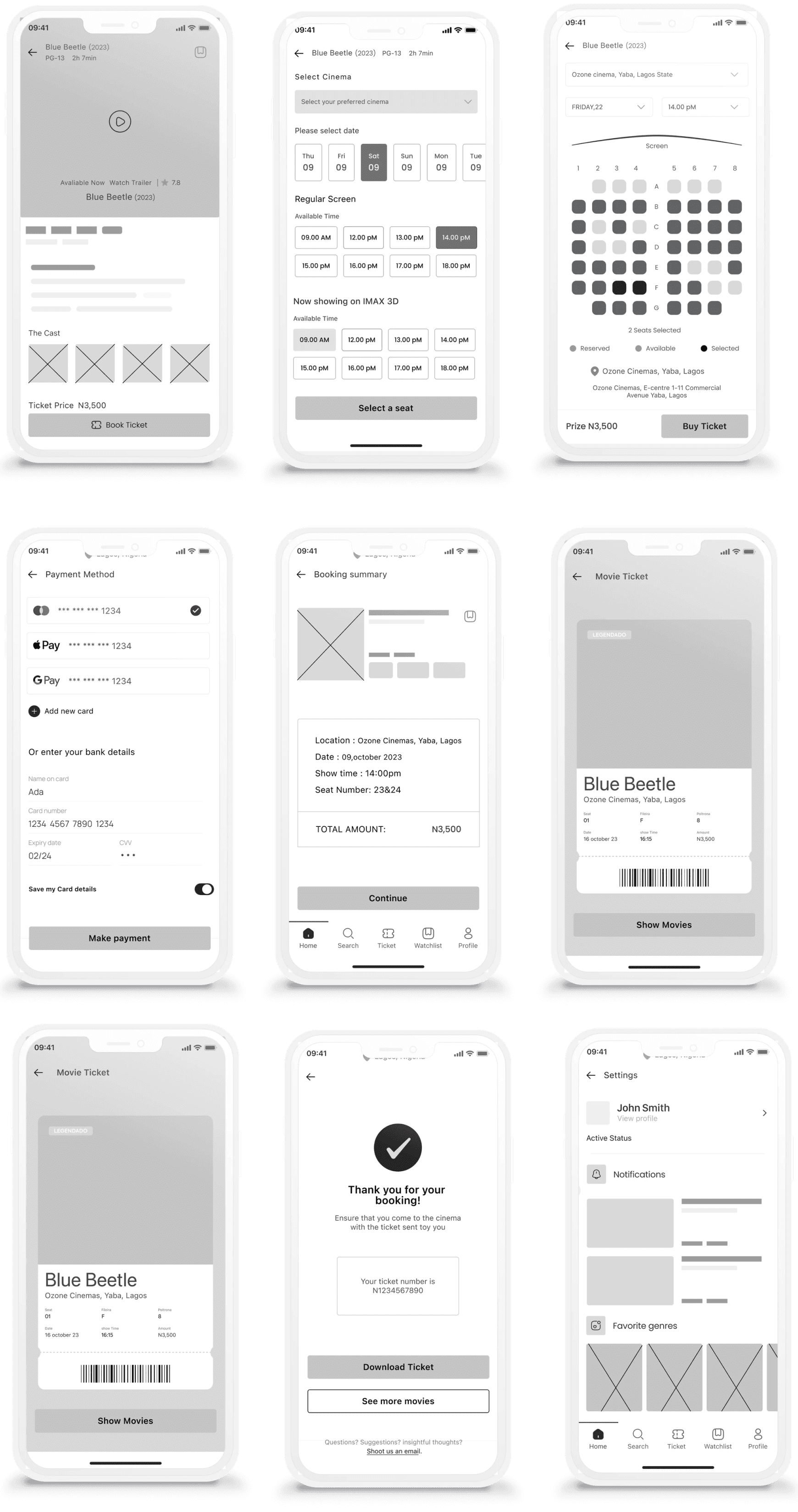
Low-Fidelity Design
img
Low-Fi Prototypes
I created a low-fidelity prototype from the user flow diagram and wireframes to test functionality before incorporating it into the final design and to ensure accessibility for end-users.
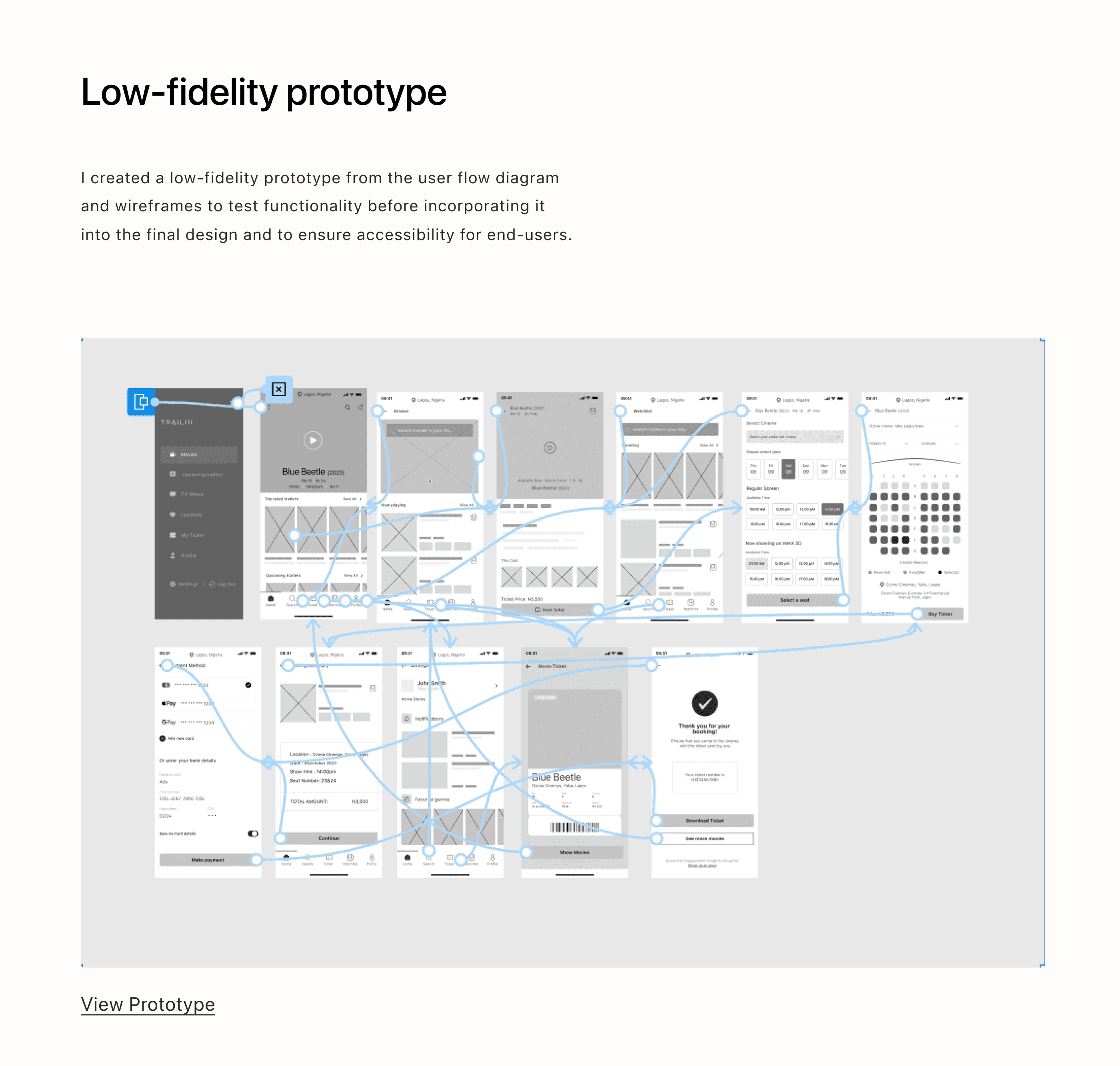
Low-Fi Prototypes
img
Usability study: (1st Round)
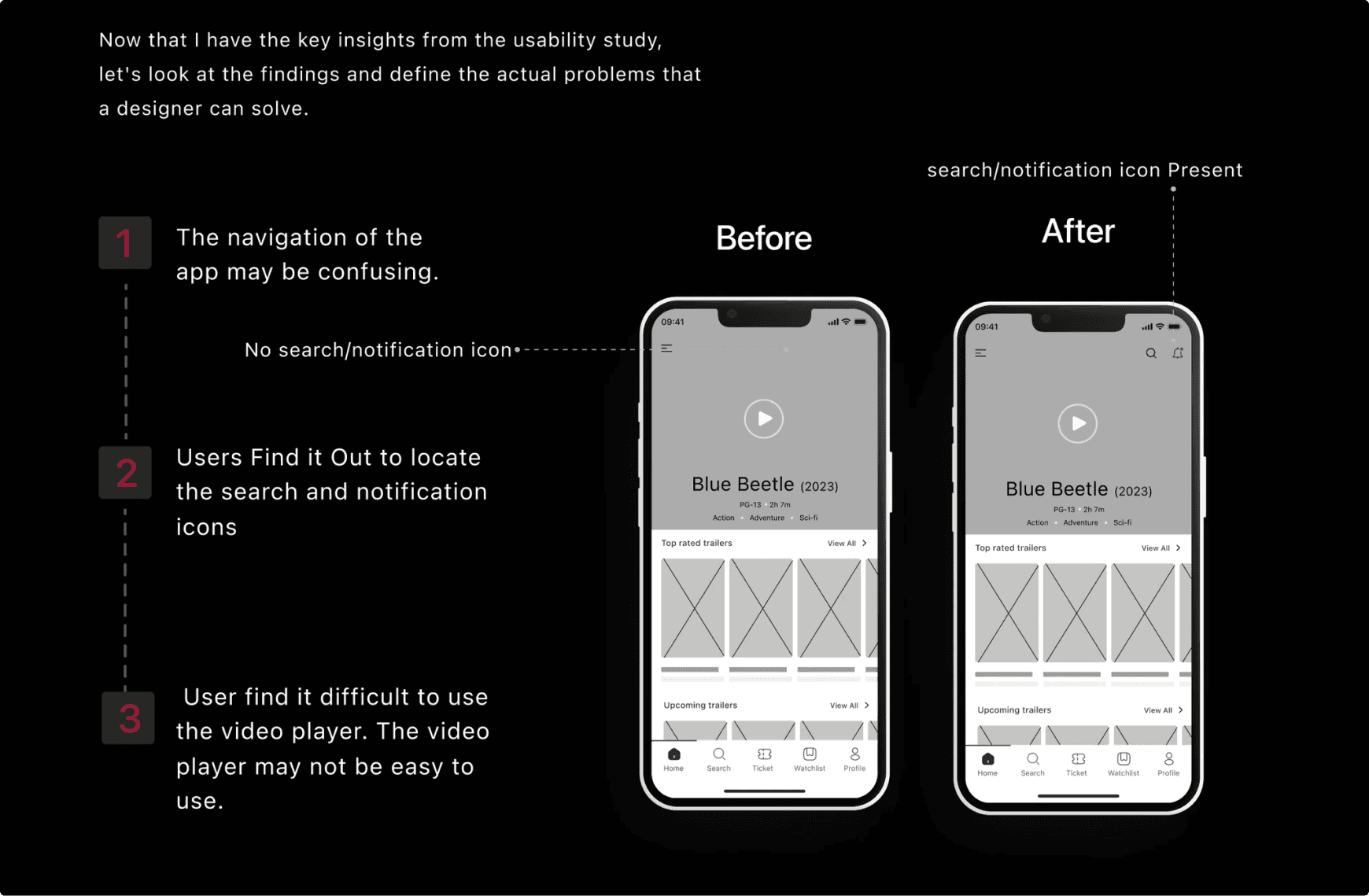
Now that I have the key insights from the usability study, let's look at the findings and define the actual problems that a designer can solve.
I carried out first usability study, the study type is unmoderated and a participant of 5 users . The usability findings help me direct the designs from wireframes to High fidelity mockups
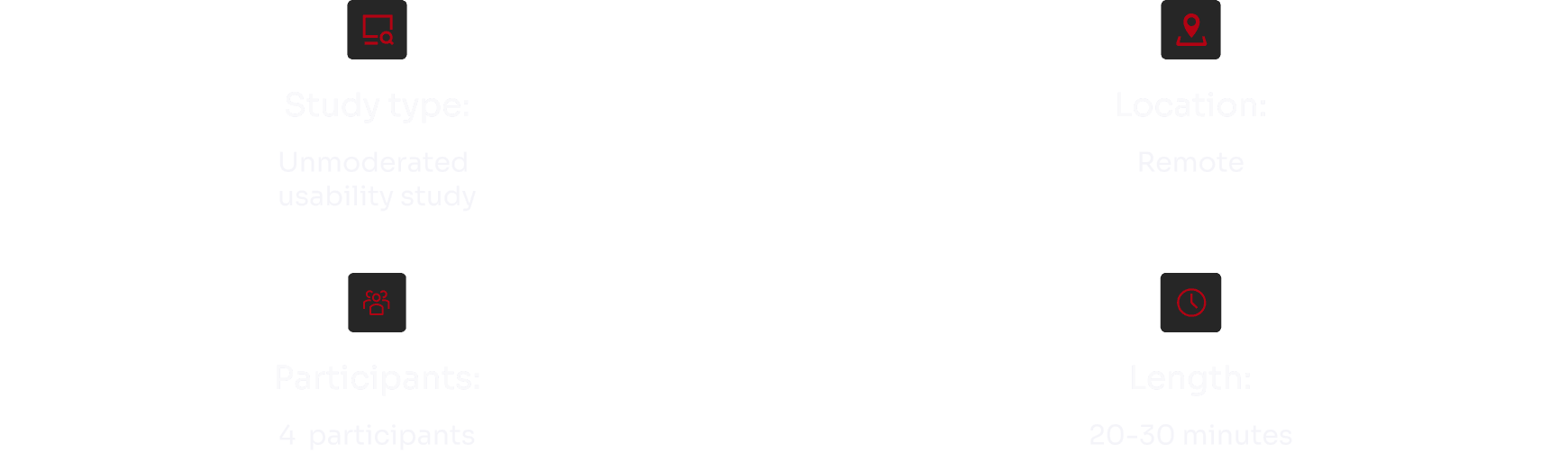
Usability study: (1st Round)
img
Usability study: findings
Now that I have the key insights from the usability study, let's look at the findings and define the actual problems that a designer can solve.
Usability study: findings
img
Style Guide
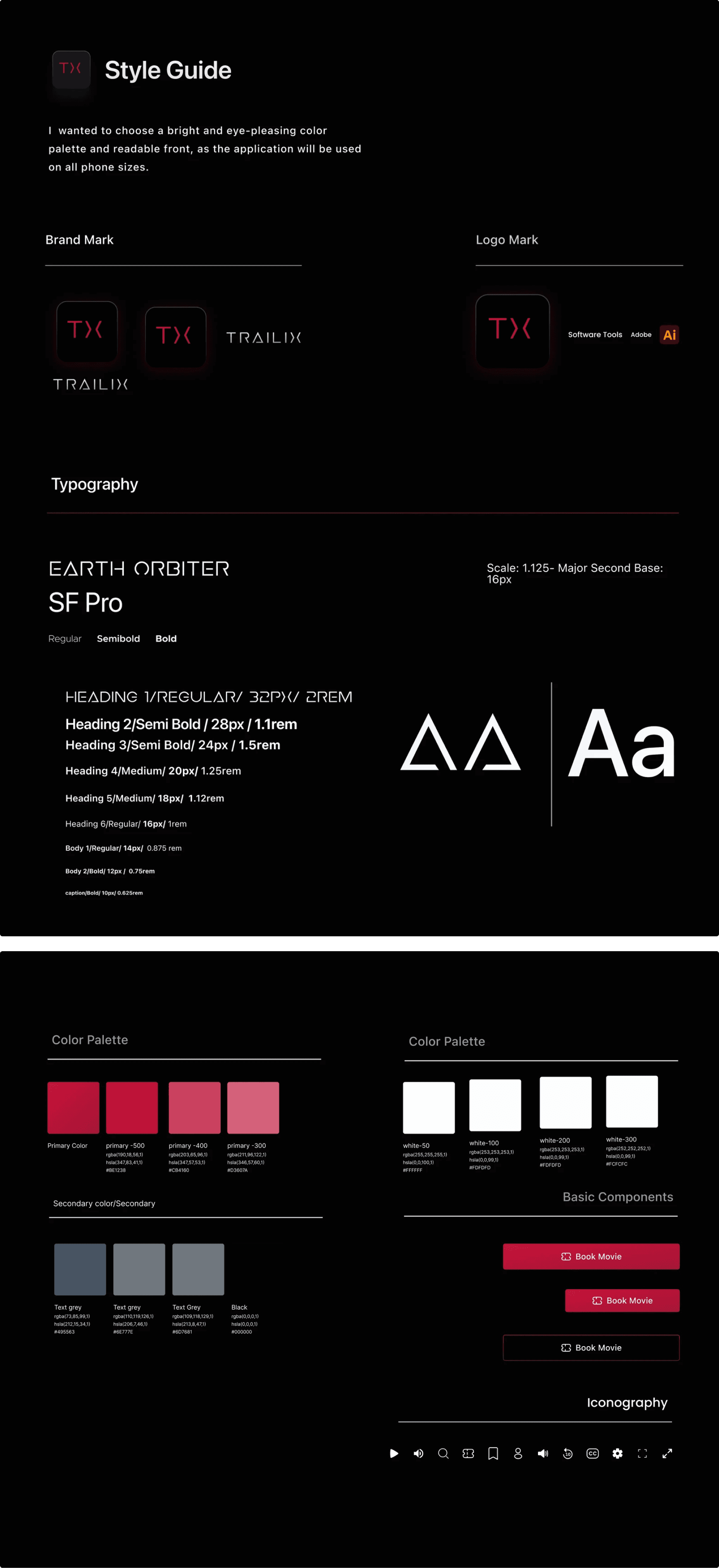
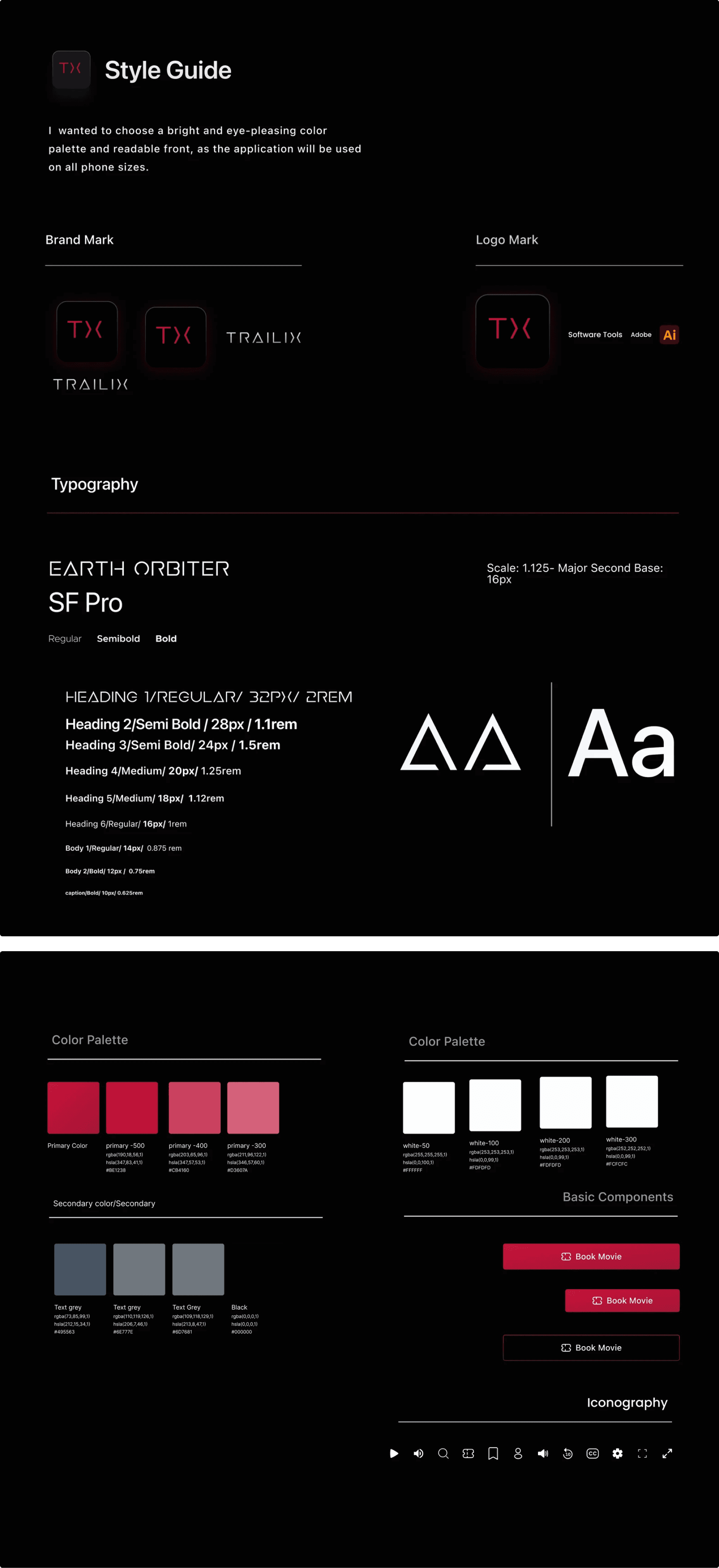
We wanted to choose a bright and eye-pleasing color palette and readable front, as the application will be used on all phone sizes.
Style Guide
img
Mockups
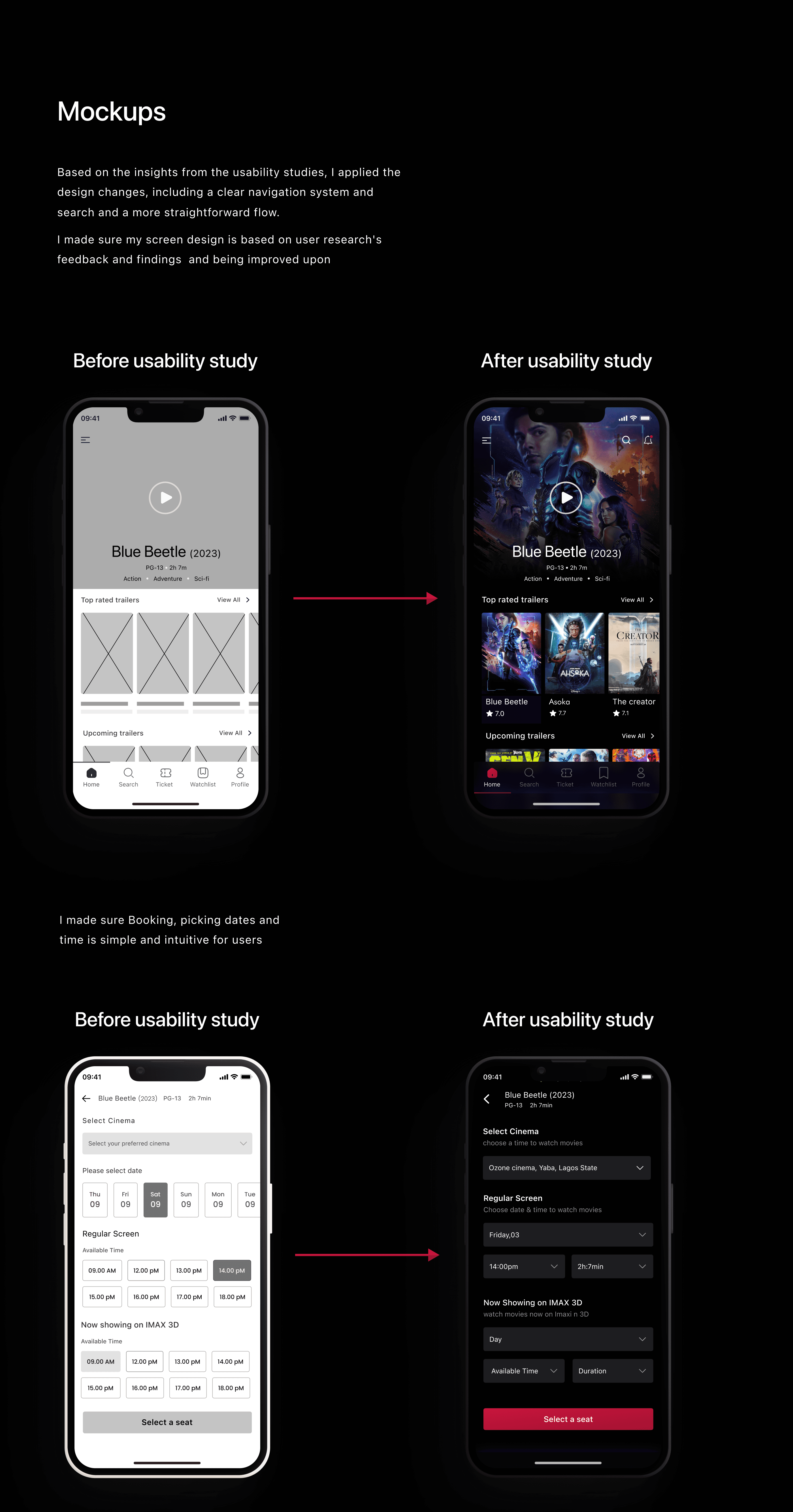
Based on the insights from the usability studies, I applied the design changes, including a clear navigation system and search and a more straightforward flow.
I made sure my screen design is based on user research's feedback and findings and being improved upon
Onboarding
Below we will take a look at the most important application screens separately.
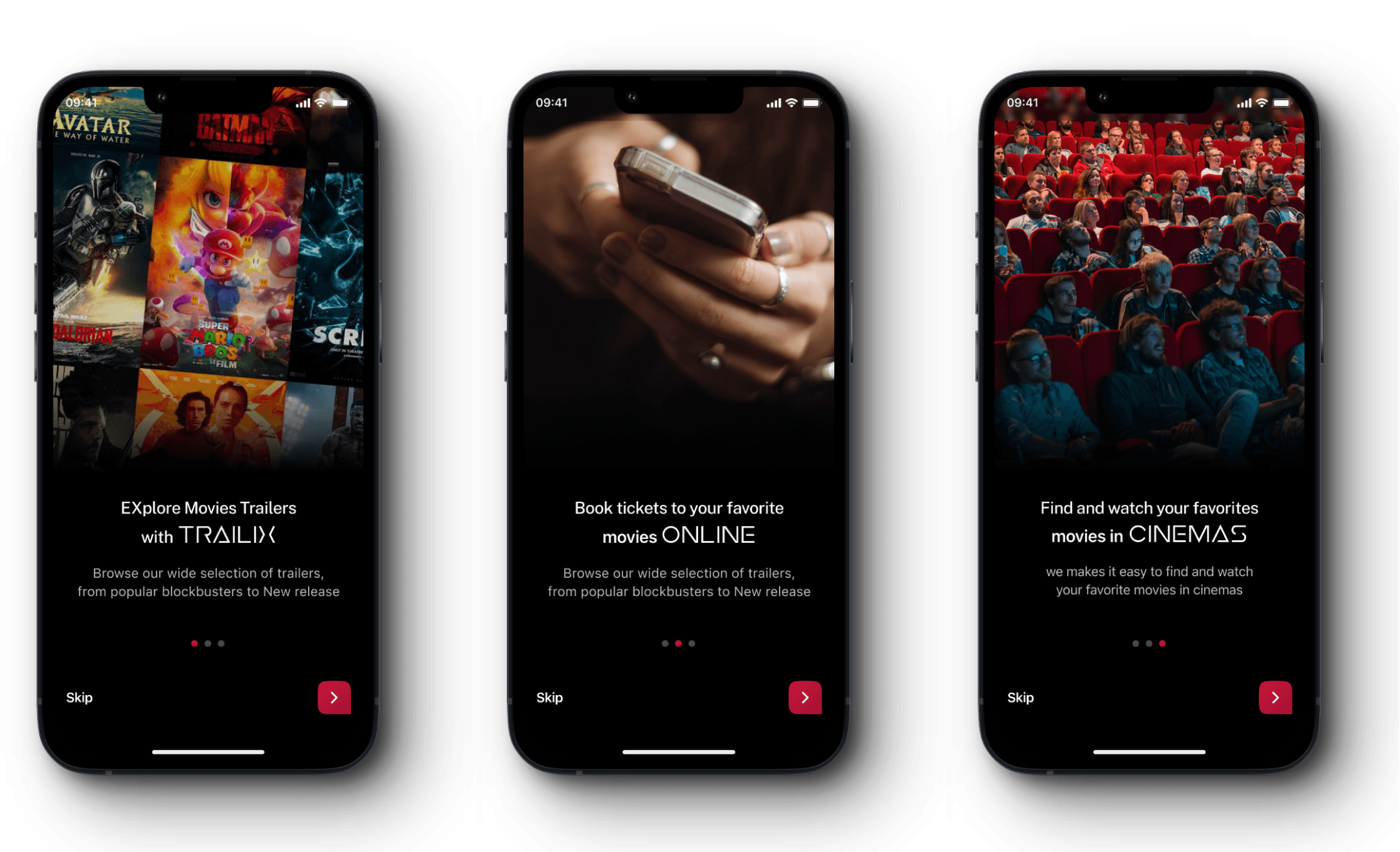
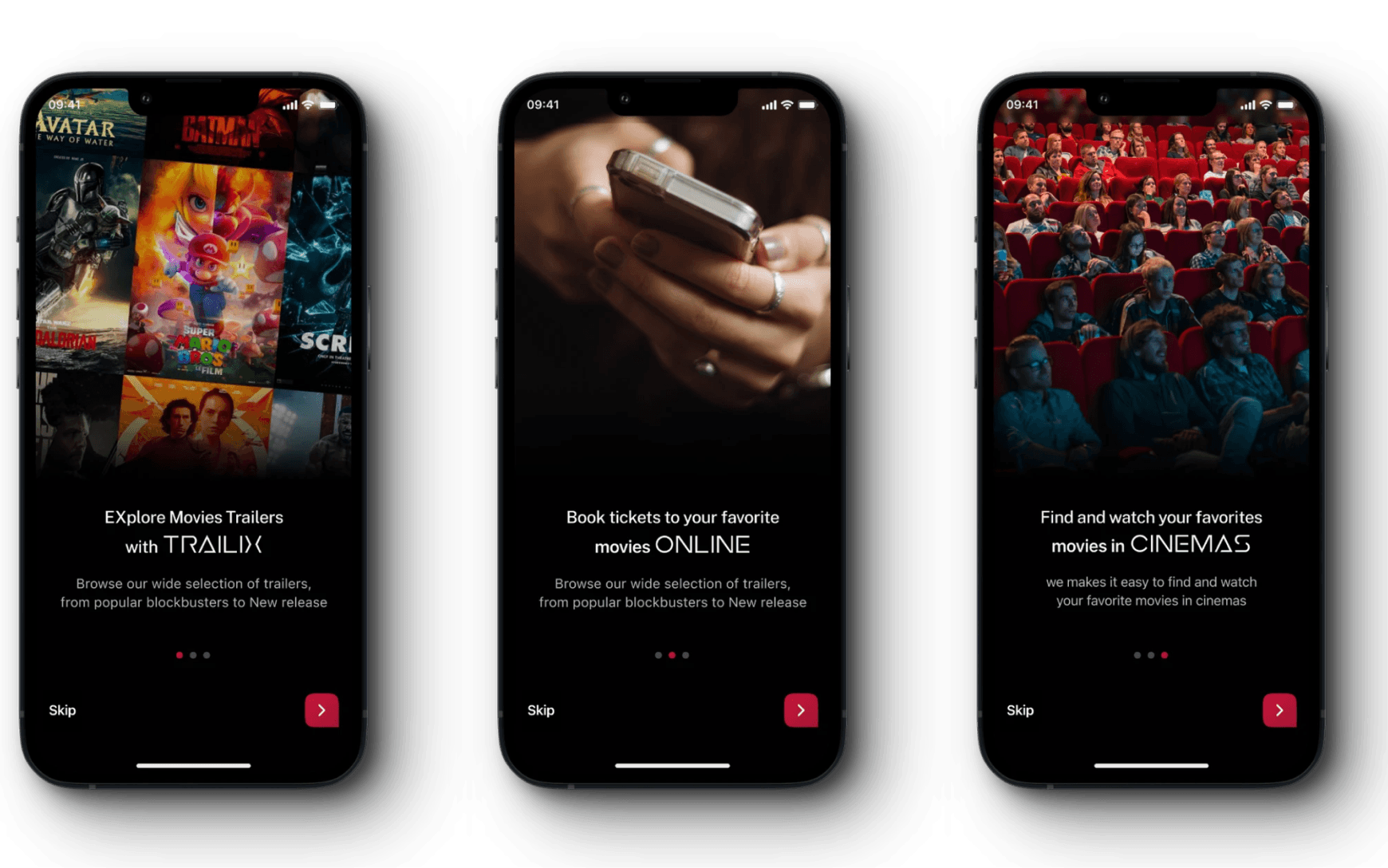
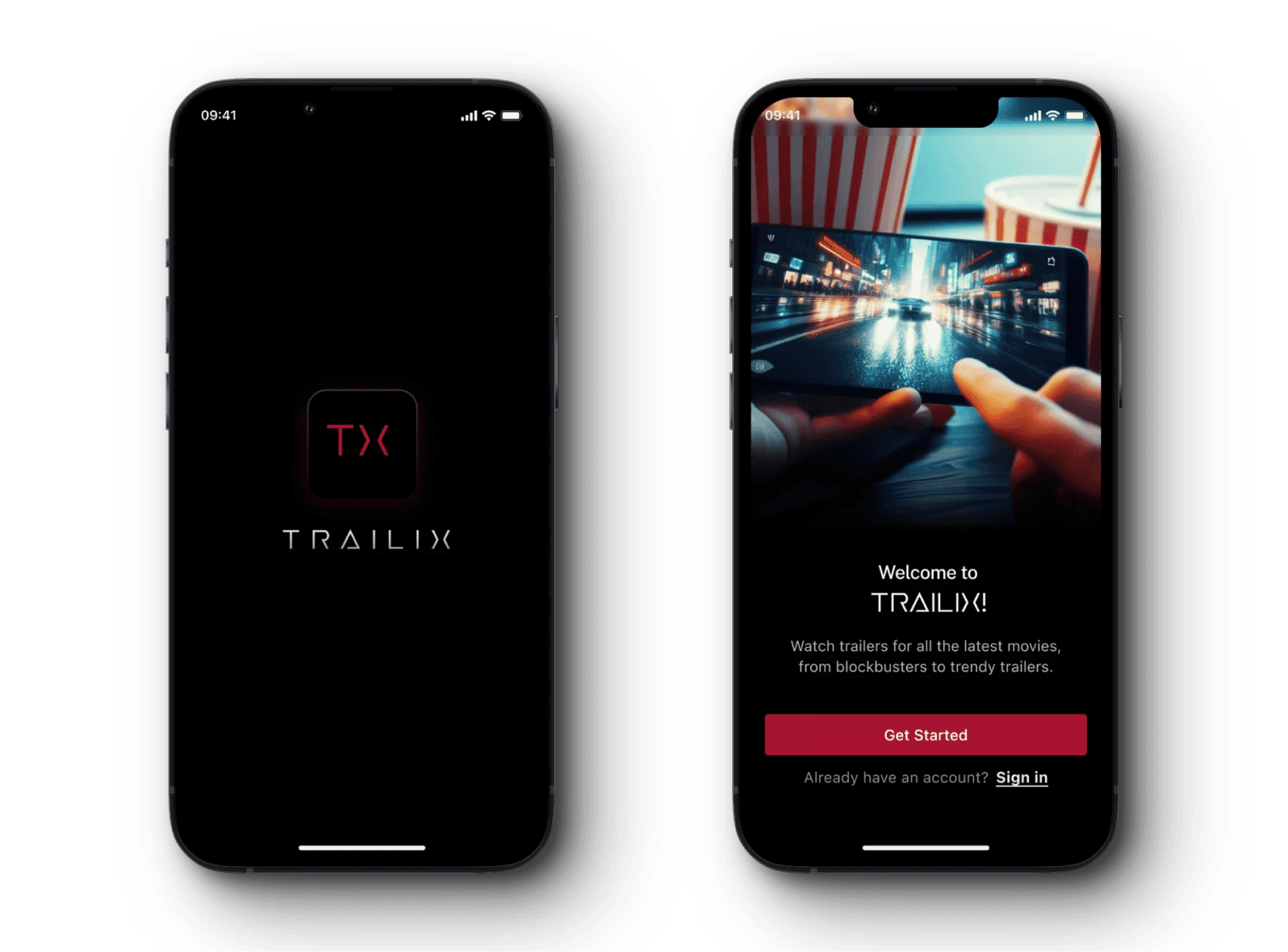
When a user signs up the app for the first time, we introduce the benefits and features. that he can use in the application.
onboarding
img
Homepage
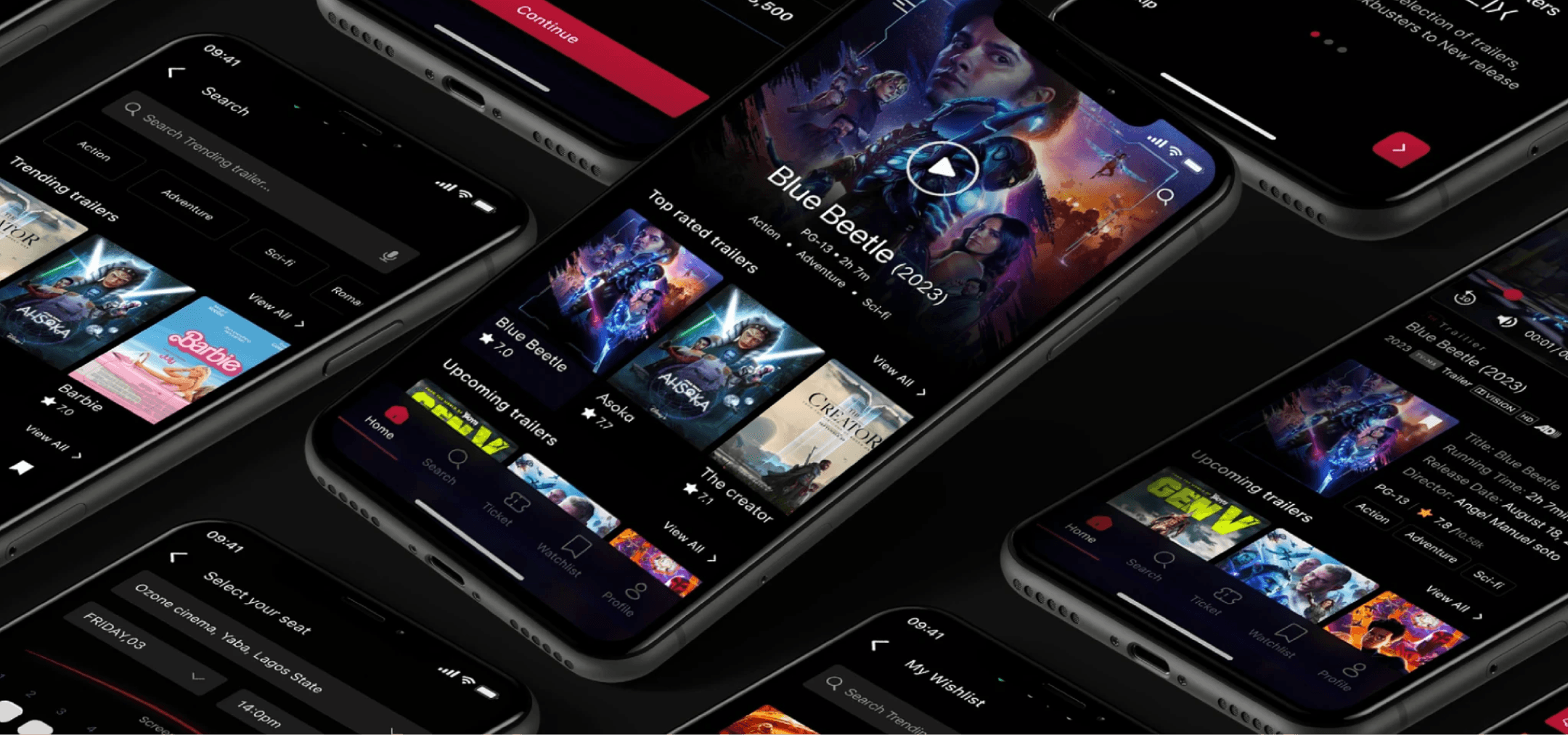
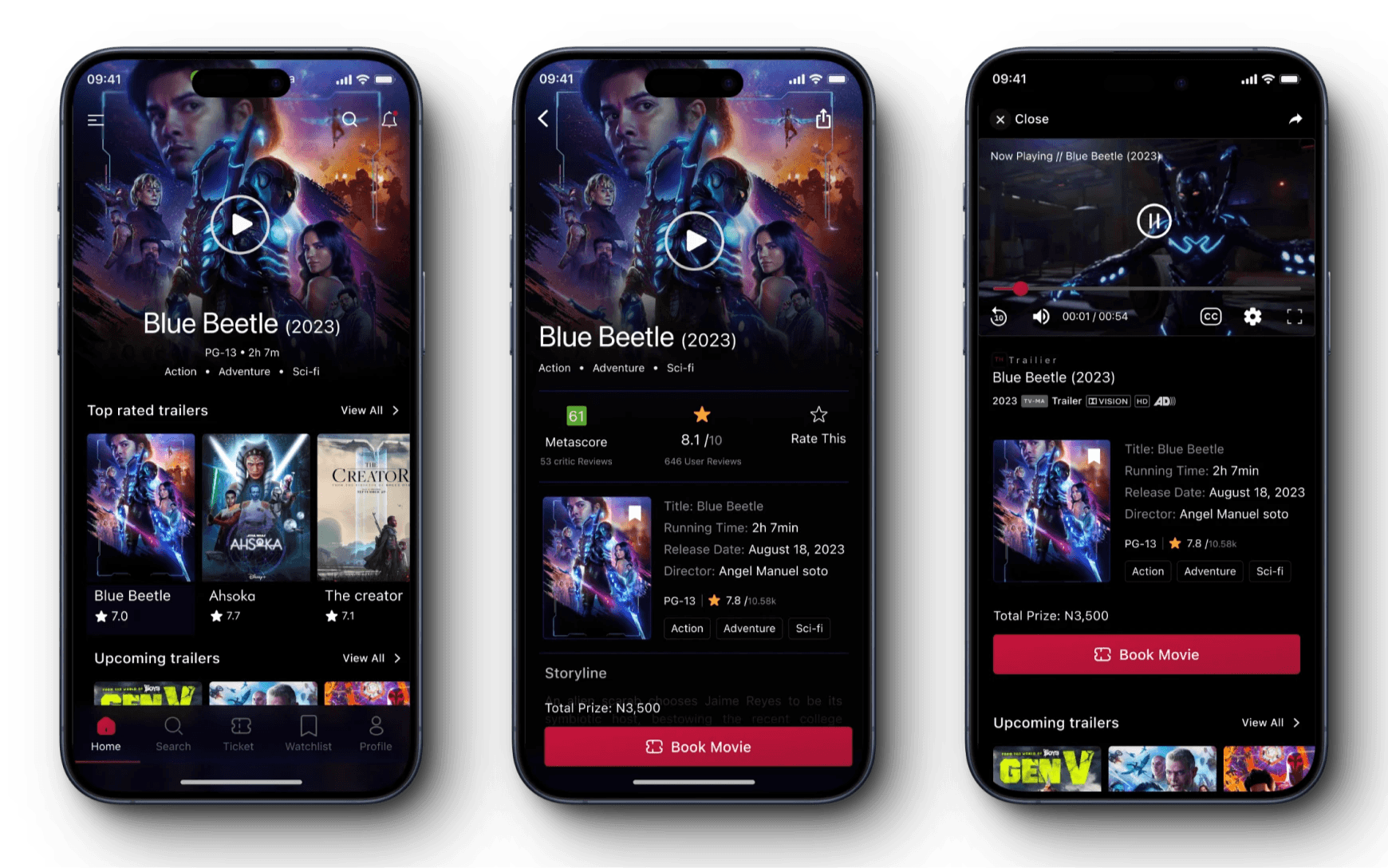
The user can see all the important categories on the app’s main page, Users can select, watch their preferred trailer movie fom the home screen or use thh Search icon
Sign In & Registration
img
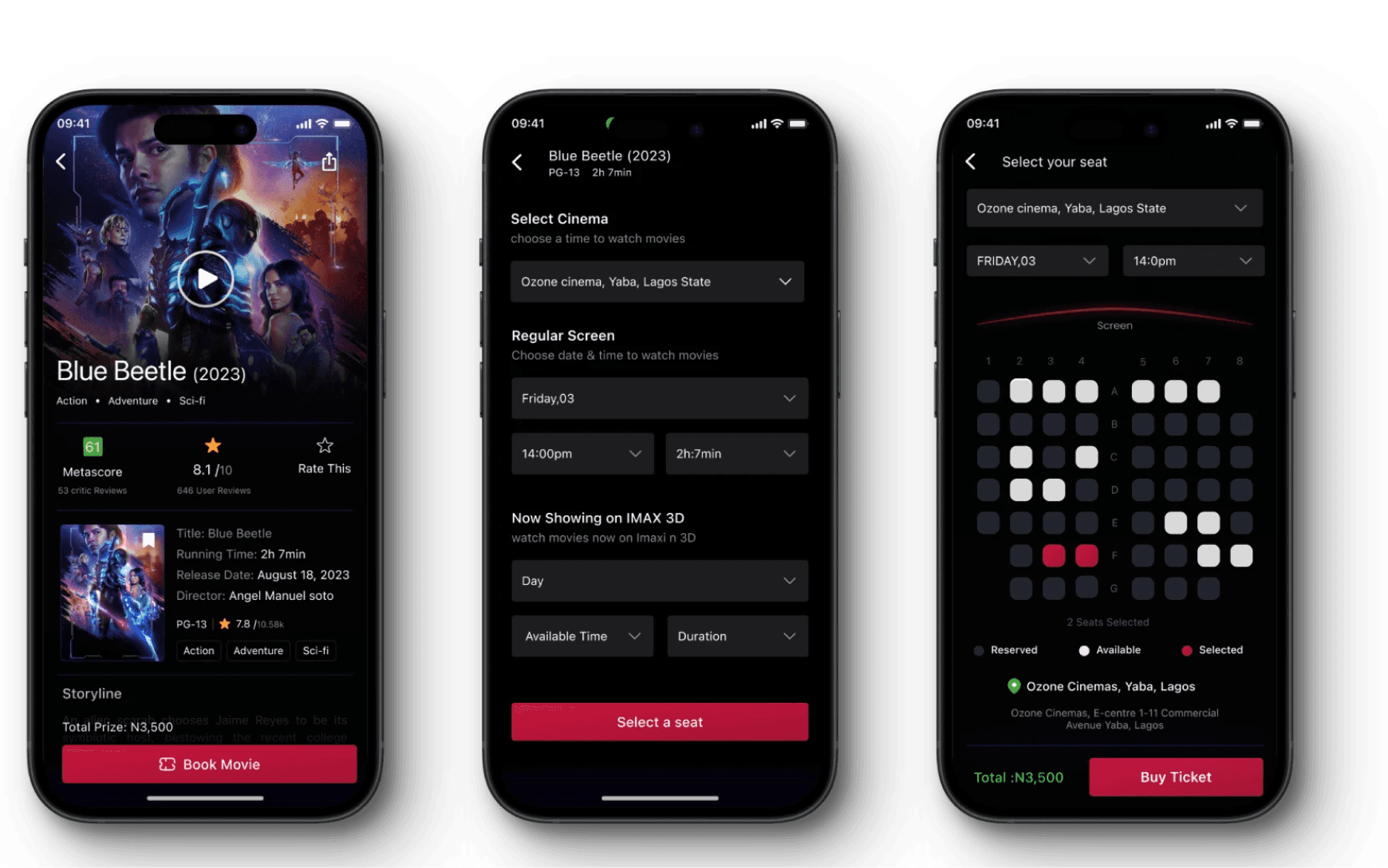
Booking
Users can easily fill their details, pick a time and date, and book movie ticket to watch
Booking
img
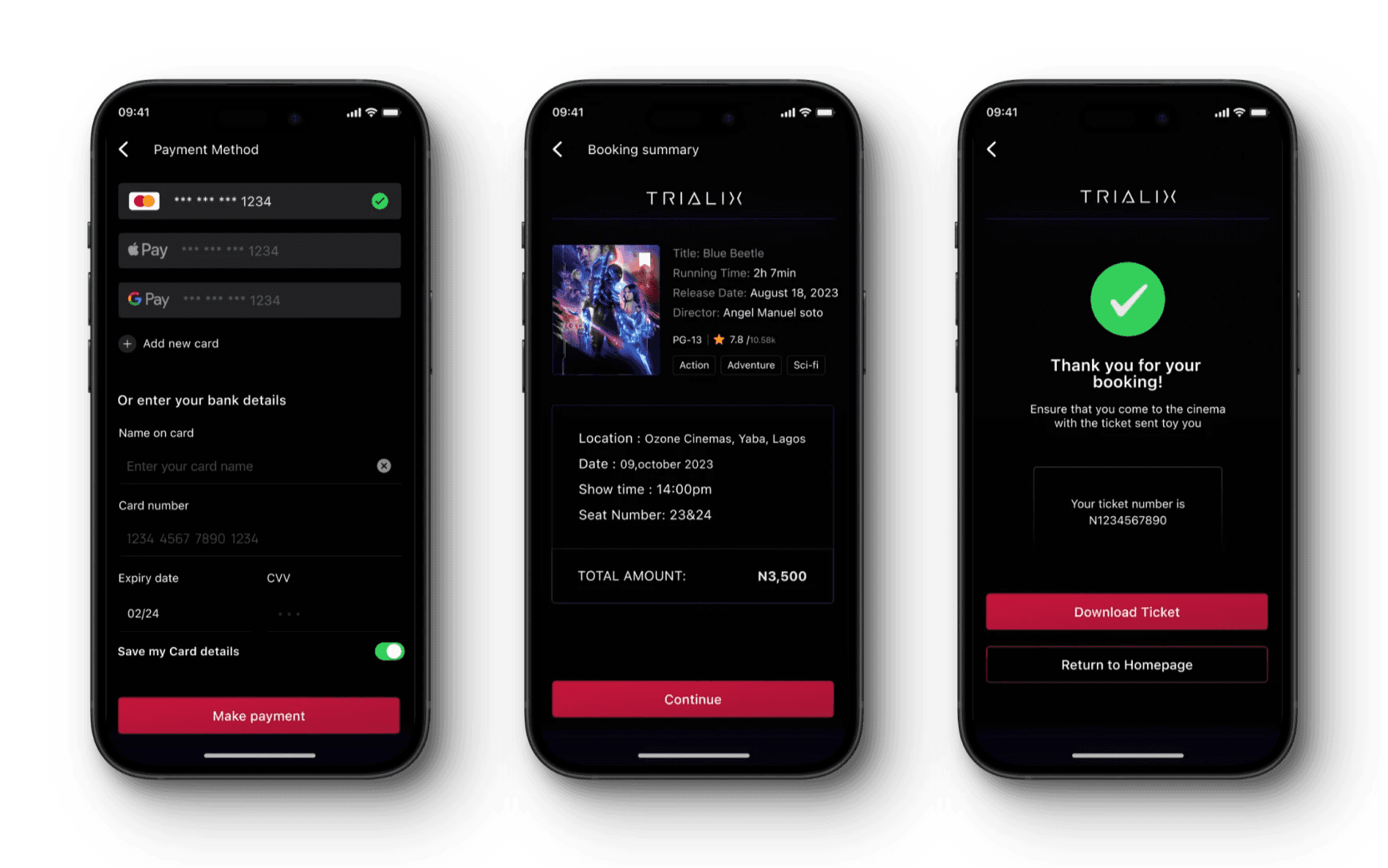
Payment
Users can easily choose their preferred payment method and purchase movie ticket easily
Payment
img
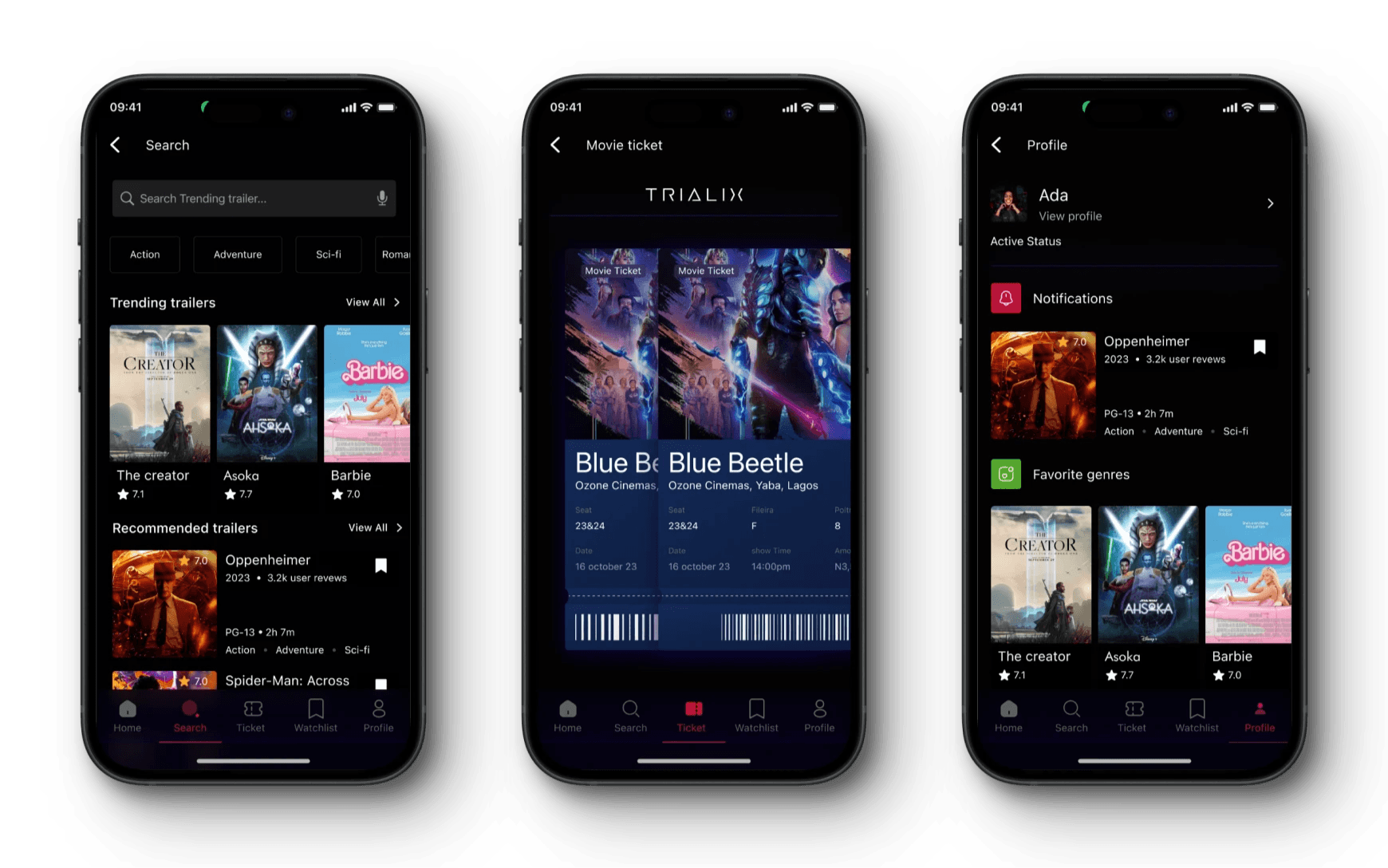
Other Screens
Below we will take a look at the most important application screens separately.
other screens
img
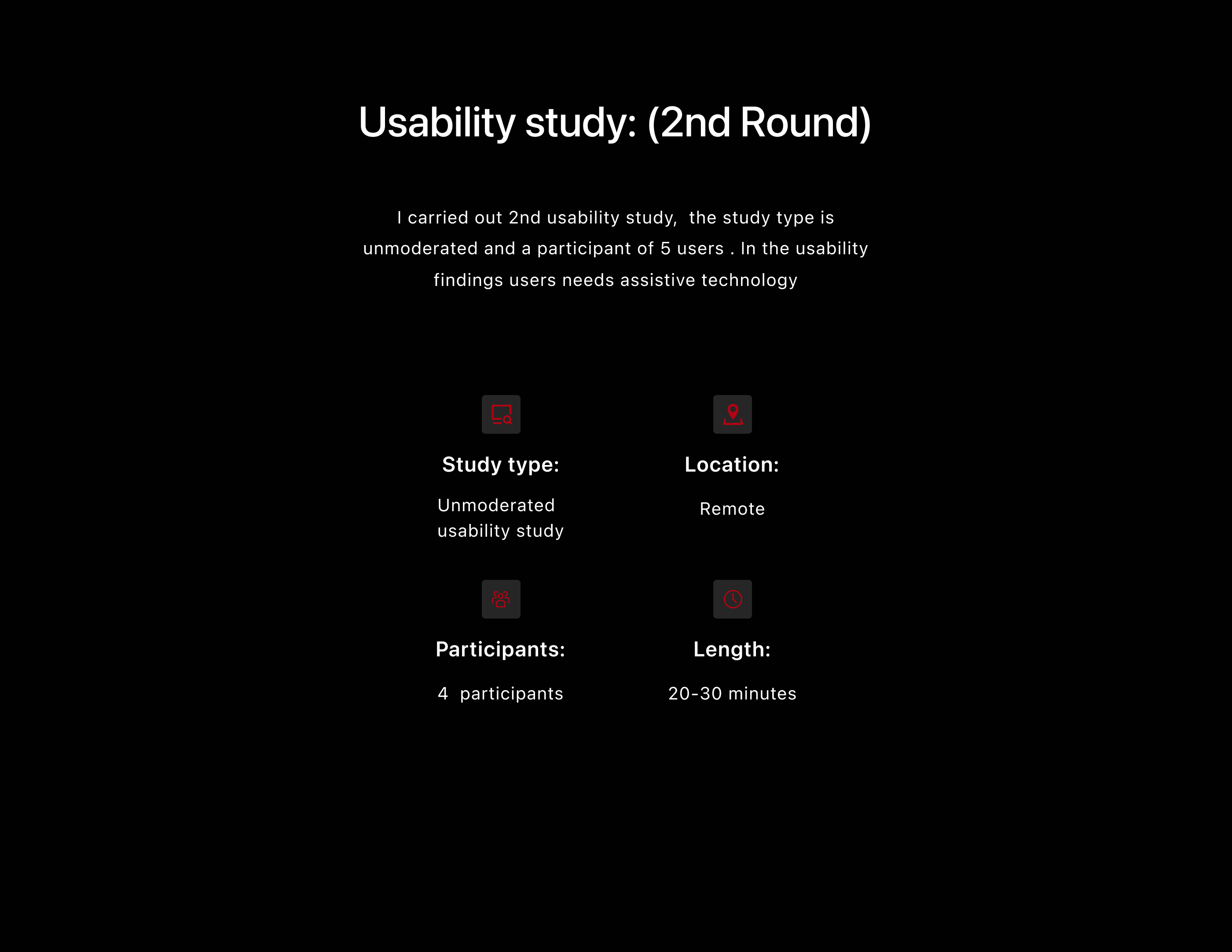
Usability study: (2nd Round)
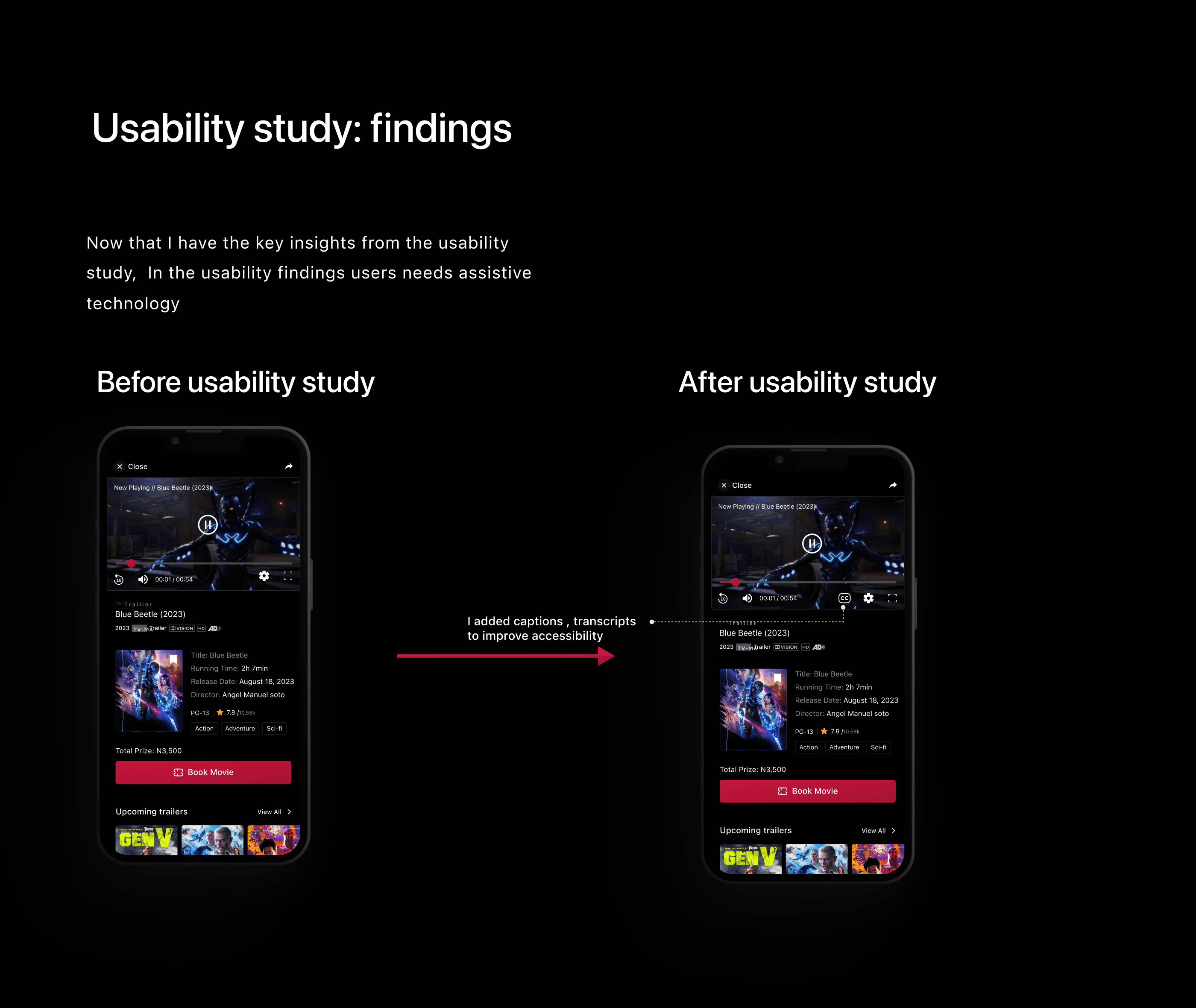
I carried out 2nd usability study, the study type is unmoderated and a participant of 5 users . In the usability findings users needs assistive technology
Usability study: (2nd Round)
img
Usability study: findings
I carried out 2nd usability study, the study type is unmoderated and a participant of 5 users . In the usability findings users needs assistive technology
Usability study: findings
img
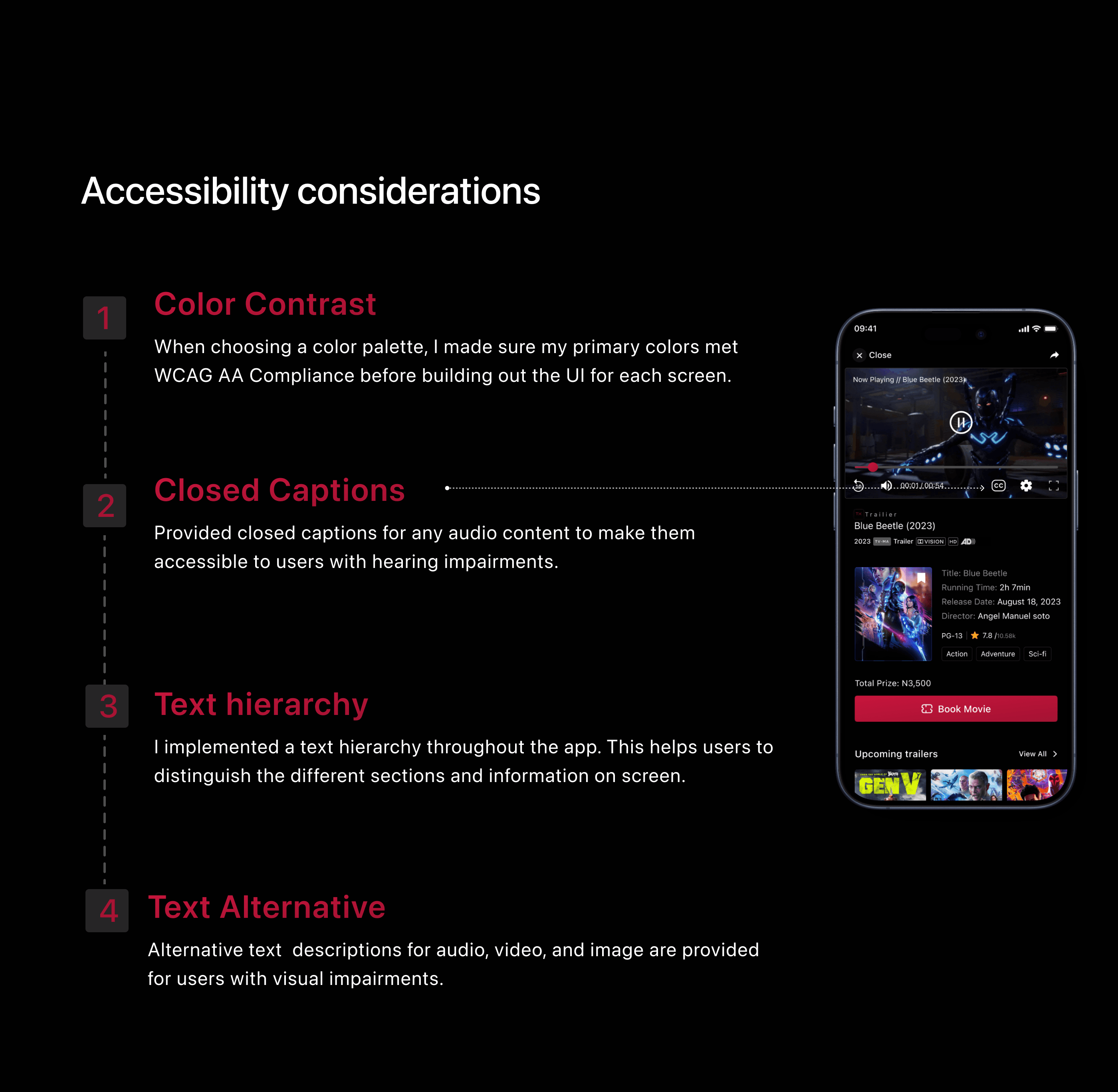
Accessibility considerations
Accessibility considerations
img
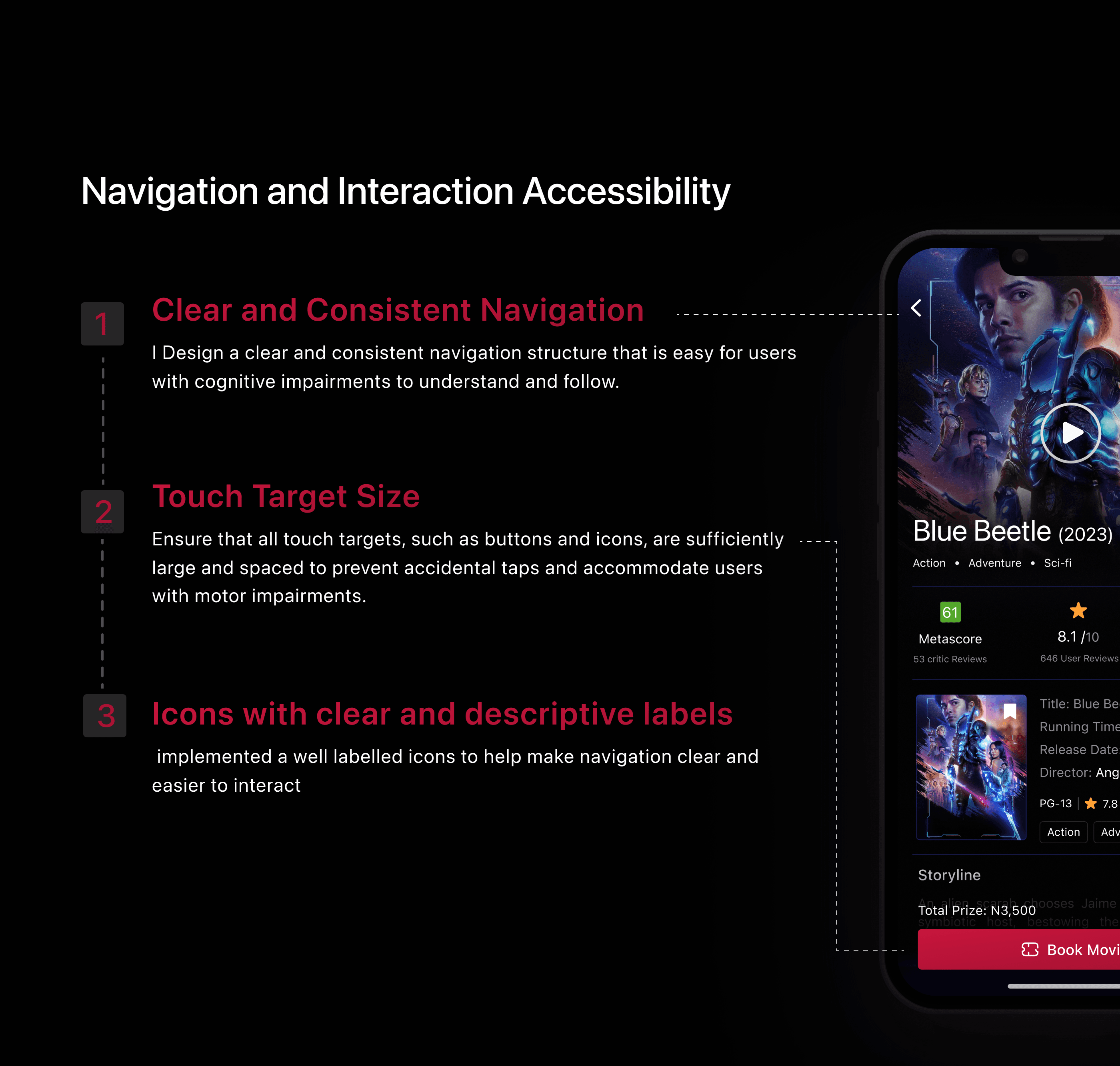
Navigation and Interaction Accessibility
Navigation and Interaction Accessibility
img
Key Takeaways
Impact:
In this study, I aimed to address common issues faced by users and evaluate the impact of UX design on their mood and decision-making process. Through conducting this research and design, I gained a deeper understanding of how user experience can significantly influence a user’s emotions and choices.
What I Learned:
design process. Some of the key things I have learned include:
1. Understanding user needs
2. Importance of simplicity
Accessibility considerations
Understanding and implementing
user feedback Manage information to not overwhelm the user
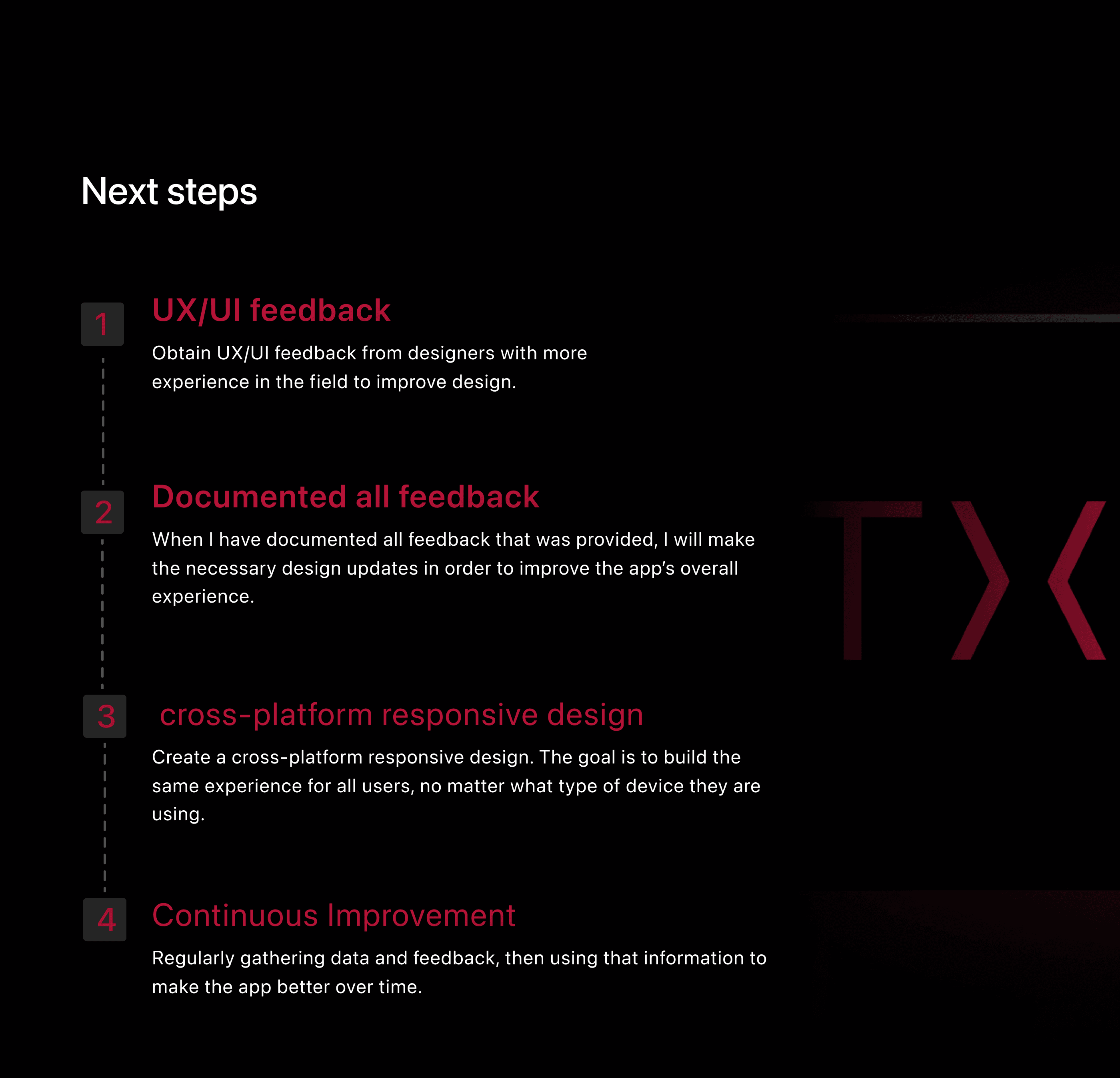
Next steps
Next steps
img
Results & Outcome
Results & Outcome
img
Trailix is a dedicated mobile application for previewing movie trailers, targeted to help Movie goers discover new cinematic Movie Trailers and offers an uncomplicated method for pre-booking tickets. The app showcases a vast array of trailers, from popular big-budget films to latest local movies near the user location. The app offers a wide variety of trailers, from popular blockbusters to independent films. Users can now browse trailers by genre, search for specific titles, Book their favorite movies and create watchlists.